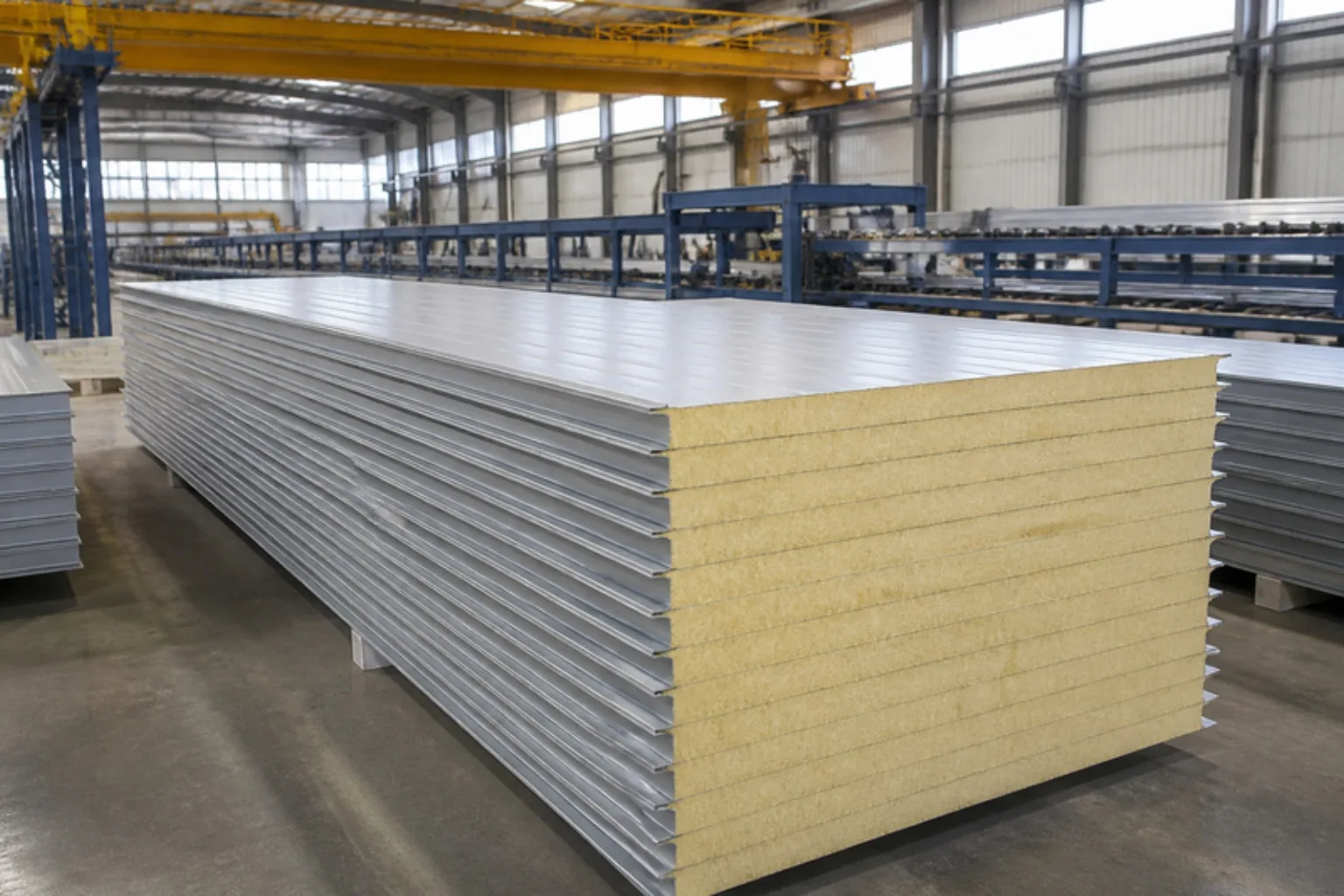
Sandwich panel manufacturing software (a CRM and ERP app) helps you turn orders from business customers (lists of lengths, thicknesses and colours priced by the square metre) into a clear production queue, with site deliveries and payments followed through to the end. A model that works for many companies: the specification confirmed by the customer is attached to the order before release to production, and every order moves through visible stages, from checking to final payment.
This guide is for producers and installers of wall and roof panels who work mainly with companies: builders, farms, warehouses, industrial halls. You will see what a specification should contain, how to release an order to production without surprises, how to organise partial deliveries and how not to lose deferred payments.
In short
- The specification is a table of line items: type, thickness, core, colour of each face, length, quantity and m².
- We recommend releasing production from a specification with a numbered revision, confirmed in writing by the customer.
- For a business customer, record separately who orders, who pays and who receives the goods on site.
- Partial deliveries are planned in lots, each with a date, unloading equipment and a contact person.
- A deferred payment is recorded as a payment entry with status Unpaid and a due date, so it shows up in the Dashboard alerts.
The order specification: what to include
The specification is the document everyone reads: sales, production, whoever loads the truck, and the customer. Typical mistakes are trivial (a list of lengths copied from a photo, the inner face colour left out, a wall panel mixed up with a roof panel), but they end in wrongly cut panels. For example, for each line item the specification can state:
- the panel type (wall or roof) and the chosen profile;
- the thickness and core type, as named in your quote (for example EPS, PIR or mineral wool);
- the colour of the outer and inner face, with a RAL code, and the steel finish;
- the length of each line and the number of pieces;
- the total in m², calculated by the rule written in the quote;
- accessories (corner flashings, ridge caps, seals, fasteners) in a separate list;
- the delivery lot each line belongs to.
An example of the m² calculation
Hypothetical example: 36 wall panels of 7.20 m and 18 panels of 4.80 m, with an effective width of 1 m, give 36 × 7.20 + 18 × 4.80 = 259.2 + 86.4 = 345.6 m². If the second line is copied wrong, 4.08 m instead of 4.80 m, almost 13 m² go missing and 18 panels are cut to the wrong length. State in the quote how m² are calculated (on which width and with what rounding), so the invoiced amount does not turn into a dispute.
Zafirok has no dedicated panel fields (thickness, colour, length lists) and does not calculate m² from the specification. The specification file, for example XLSX or PDF, is uploaded to the order's Documents tab (Documente), up to 25 MB per file, and the Description (Descriere) holds the summary: total m² per type and thickness, colours, number of lots and the approved revision.
The business customer: who orders, who pays, who receives
In B2B orders, the person who sends the specification is not necessarily the one who pays or the one who unloads on site. On the order, the customer is marked as a legal entity, the main contact's phone stays on the customer record, the site address goes into Delivery address (Adresă livrare), and the site manager's name and phone go into the Description (Descriere).
When the same builder comes back with another site, their record in the Clients module lists all their orders, archived ones included, and the total value of their contracts. Open the old orders and check the payments to see how they paid last time before you accept another deferral.
For customers who repeatedly pay late, write it in the Notes field (Notițe) on the customer record, and you can agree within the team, for example, that a new order from them is released after a check with the manager.
The production queue: stages and release rules
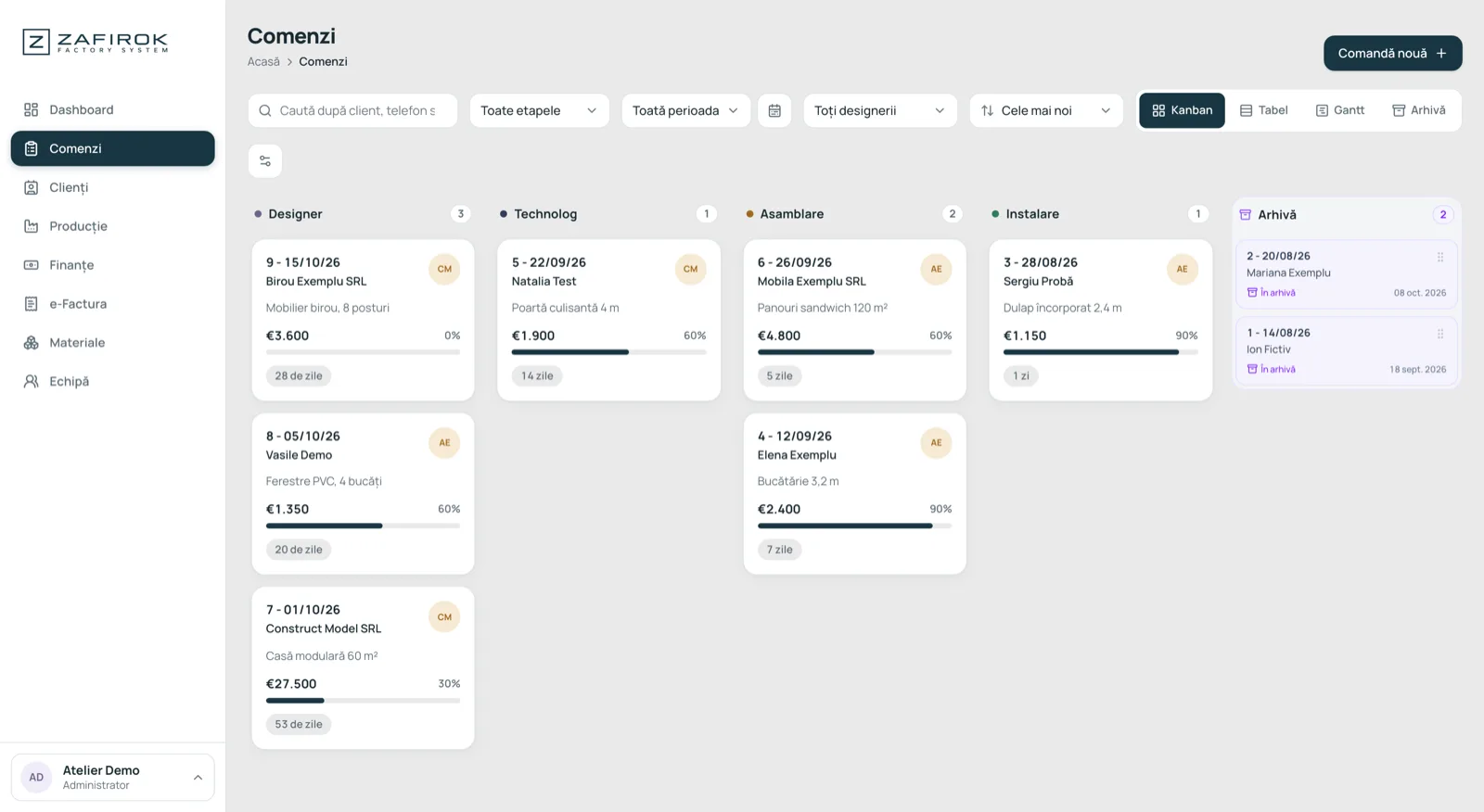
In Zafirok, the sandwich panels configuration starts with the stages Design → Technical design → Assembly → Installation → Archive (in Romanian: Designer, Technolog, Asamblare, Instalare, Arhivă), a starting model that an admin adapts in the Kanban settings (Configurare Kanban). For panels, one possible mapping: Design for the specification, quote and deposit; Technical design for checking the specification and preparing raw materials; Assembly for production on the line; a new Ready for delivery stage; Installation for delivery and, where needed, on-site fitting.
The order board, in Kanban or Table view, becomes the production queue: what is waiting for checks, what is on the line, what is ready and waiting for a truck. Bulk moves help at the end of a shift, when several orders move to the next stage at once. The queue sequence is set by the production lead based on the Delivery deadline (Termen livrare); Zafirok does not calculate line capacity or sequence production automatically.
Example checklist before releasing to production
- The specification has a numbered revision and the customer's written confirmation, both attached to the order.
- The colours of both faces, the thicknesses and the core type match the quote.
- The total m² in the specification matches the quote, and the contract value matches that total.
- The agreed deposit has been received (with the default stages, the order cannot leave Design below 60% paid).
- The delivery date and the split into lots are confirmed with the customer.
- The production lead has confirmed that steel coil and core material are available.
Adapt the items to the way you work; the list can become a checklist template applied to the order, with a responsible person for each item, and the ticks show what has been checked before release.
Site deliveries: lots, unloading, documents
Long, bulky panels turn every delivery into a small operation: the maximum length the truck can carry, who unloads and with what, where the panels are stored on site. A large order often ships in several lots.
One order or several? If the lots have separate dates and payments, create one order per lot, each with its own payments and documents. If there is one contract and one payment schedule, keep one order and apply a checklist template that has one task per delivery, with a responsible person (tasks are added to the template, not directly to a single order). Before each delivery, confirm:
- the day and time window, with the person on site;
- who unloads and with what equipment, if unloading is not included;
- where the panels will be stored on site;
- the line items in the lot, counted at loading;
- who signs the delivery documents on site (after unloading, photograph them and upload them to Documents).
If you deliver without installation, the Installation stage can serve as the handover and settlement point: the order stays there until it is paid in full. If you prefer a name like “Delivered”, remember that renaming the stage switches off the automatic 100% payment check and that, on saving, the orders in the renamed stage are moved to the first stage, so rename it before any orders are in it.
Stage payments and payment terms
Business customers pay either in full before production, or with a deposit and the balance on delivery, or on terms after delivery. Whichever applies, each payment is recorded in Finance → New payment (Finanțe → Încasare nouă), linked to the order, with a type (60% advance, 30% advance, 10% advance or 100%), a status (Paid or Unpaid) and a date, and it then shows in the order's Payments (Încasări) tab. The 60% and 100% checks are built into the default stages, tied to the stage names Designer and Instalare, and the paid percentage counts only Paid entries. The 60% rule also applies to orders paid after delivery; if you often work without a deposit, you can rename the Design stage, which switches the check off.
A payment entry with status Unpaid and a date works as a planned payment. The Dashboard lists it under Alerts (Alerte) as an amount to collect, with the order and its due date, from the moment it is recorded rather than when it falls due; the app sends no reminders. With payment terms, the delivered order stays in Installation until it is paid in full, so that column becomes your list of delivered but unpaid orders.
If the company keeps its books in lei, the contract value is entered in euros with a lei preview, and payments are recorded in lei at the company's own EUR rate. Transport, crane hire or subcontracted installation are also recorded in Finance → New transaction, linked to the order, and appear in its Expenses (Cheltuieli) tab; the side card shows profit, margin and the remaining balance.
The team: sales, production, delivery
The default roles (Administrator, Project manager, Worker, Project collaborator, Observer, Accountant; in Romanian: Administrator, Manager proiect, Executant, Colaborator proiect, Observator, Contabil) are adjusted per module with Hide, View or Edit access (Ascunde / Vede / Modifică). One possible split:
- Sales managers: all orders, with specifications, prices and payments.
- Production: the order queue and the specifications, without prices or customer phone numbers.
- Drivers and installers: only the delivery and installation stages, with the site address and the order description (where the site contact is noted), without prices.
- Accountant: finance and payments, without moving orders between stages.
Colleagues join through an invitation link valid for 7 days, and the web app also works on phones, in the browser. The customer can receive one automatic SMS when the order enters the chosen stage, for example Ready for delivery, with a text you write yourself, such as: “The panels for order {comanda} are ready for delivery. {alias}”, where {alias} is the sender name. It is one message per order, with no reminders; the feature is off by default, is switched on in Settings → SMS (Setări → SMS), and the messages are paid for separately.
Common mistakes with sandwich panel orders
- The length list is rewritten by hand from a photographed sketch.
- Nobody confirms the inner face colour.
- Production starts before the site confirms the final lengths.
- The truck reaches the site and there is nobody, or nothing, to unload it.
- The deferred payment is not recorded anywhere, and the due date passes unnoticed.
How Zafirok helps: CRM and ERP software for sandwich panel manufacturing
Zafirok has a configuration for sandwich panels, built on the same base as the other production domains. To track sandwich panel orders, you use:
- Orders on configurable stages, in Kanban or Table view, with bulk moves and a searchable archive.
- Clients as individuals or legal entities, with notes, each client's order list and the total value of their contracts.
- Documents on each order for specifications, confirmations and delivery documents, up to 25 MB per file.
- Payments with type, status and date, the 60% and 100% stage rules, alerts for unpaid receivables and expenses per order.
- Checklists from templates, with a responsible person for each task.
- Roles with per-module access, hidden prices and phone numbers, plus one automatic SMS at the chosen stage.
The stages, checklist, roles and SMS text in this guide are an example to start from, not a rule. Each company sets up its own stages, checklists, roles and texts. If you prefer, the Zafirok team can configure it for you: write to us via the contact page or create an account.
What it does not do: it has no fields for panel specifications and does not calculate m², does not produce quotes, does not plan line capacity, does not optimise truck loading and has no customer portal. If you also supply panels for modular buildings, see the guide to modular house production.
Frequently asked questions
Can I enter the panel list line by line on the order?
No, Zafirok has no dedicated panel lines. Attach the specification as a file in Documents and write the totals by type, thickness and colour, plus the approved revision, in the Description.
How do I split a large order into several deliveries?
If the lots have separate dates and payments, create one order for each. If they fall under a single contract, keep one order and track each delivery as a task in a checklist applied from a template, with a responsible person.
The customer pays 30 days after delivery. How do I make sure I don't forget?
Record the balance in Finance as a payment entry with status Unpaid and the due date. It appears in the Dashboard alerts right away, with that date (the app sends no reminders), and the order stays in Installation until it is paid in full, as long as the stage keeps its name.
Do I have to work with a 60% deposit?
No. The 60% check belongs to the default Design (Designer) stage and switches off if you rename it; the 100% check depends on the name of the Installation (Instalare) stage. The Zafirok team can help you choose and configure the stages.
Does Zafirok plan the production line's workload?
No. The board shows the queue and the stage of each order, with its delivery deadline, but the sequence and the capacity are decided by the production lead.
Create an account and organise your sandwich panel orders