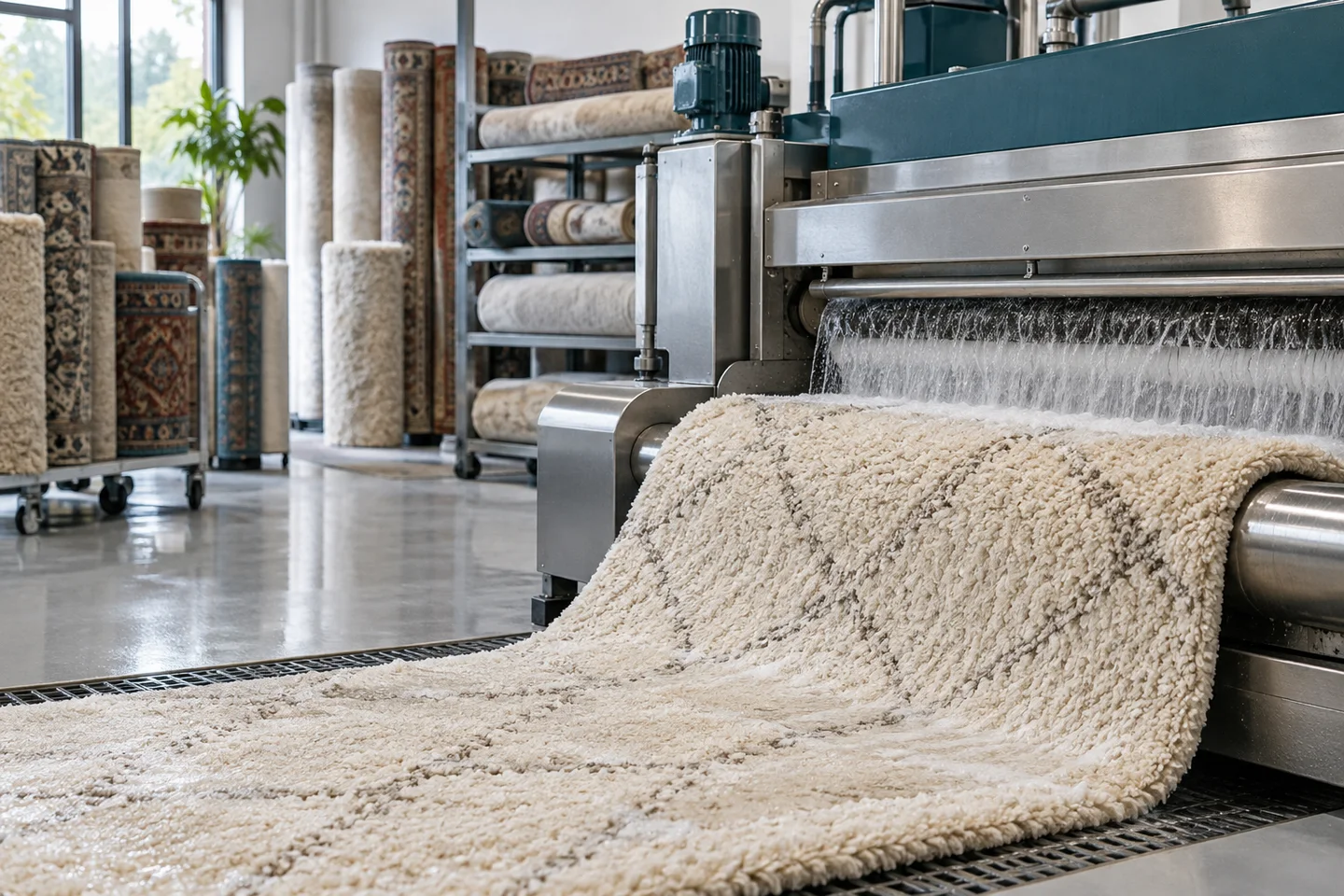
Running a carpet cleaning business well is easier with a few clear rules and a record of every order from the first call to delivery, on paper or in CRM and ERP software: how many carpets were collected, their sizes, the price per square metre, the current stage and what the customer still owes. We recommend setting the business rules first (m² rates, how carpets are identified, what “ready” means) and applying them the same way at reception, in the workshop and on the road.
This guide covers the business rules. To see how it all looks in carpet cleaning software, screen by screen, read the step-by-step guide with Zafirok screenshots.
For a cleaning business, every order is a chain of handovers: collect the right carpets, measure them, wash them, check them and return every piece. When enquiries arrive by phone and in messages, and notes sit in different notebooks, the team quickly loses the full picture.
In short
- It helps if every carpet has width × length dimensions and a tag linked to the order number.
- It helps to write m² rates down once, with clear measuring and rounding rules, so any two colleagues reach the same amount.
- Order stages follow the carpets’ real journey, from booking to delivery and closing.
- Many businesses group pickups and deliveries by district and time window and record failed visits with a reason.
- At the door you collect the amount on the order, and it is best to end the day with a cash check.
What carpet cleaning business software (CRM and ERP) should do
CRM means customer relationship management; ERP means organising a company’s processes and resources. In a cleaning business, the CRM question is what you promised this customer; the operational question is where their carpets are and what is left to do. Software helps when both answers are in the same order. Check that it offers at least:
- an order number known at reception, which you write on the carpet tag;
- the carpets of each order, with sizes and the amount calculated per m²;
- a list of pickups and deliveries by day that the driver can use on a phone;
- payments, including those taken at the customer’s door, and the balance due.
How to set m² prices without arguments at delivery
Price disputes start when the amount quoted on the phone had a different basis from the final one. It helps to say clearly whether you start from the area the customer gave or from the measurement at reception, and what the price includes; any extra service is best explained and agreed before the work.
It is worth writing down a few shared rules: the rate when customers bring carpets themselves and the rate with home pickup, the surcharges for disinfection and urgency, the minimum order for pickups and how you round the area. In Zafirok, the rates are set once in Settings → Commercial → Rates (Cleaning rates); the minimum order applies only to pickups, and certain districts can be exempted from it. Rounding is always the same: the total square metres are rounded to one decimal place and multiplied by the rate, and the resulting amount is rounded to whole lei.
A hypothetical example, with a rate chosen only for illustration: three carpets of 2 × 3 m, 1.6 × 2.3 m and 0.8 × 1.5 m add up to 6 + 3.68 + 1.2 = 10.88 m², or 10.9 m² after rounding. At 45 lei/m² with pickup, that is 490.50 lei, so the order comes to 491 lei. Each business sets its own rates.
How to identify every carpet at reception
An order with four carpets is not a single item: sizes, services and condition can differ. We recommend linking each physical carpet to its record without ambiguity, for example with a tag that carries the order number. At reception, it helps to note visible issues (stains, damaged fringes, fading), take photos and explain the limits of the service before starting, without absolute promises about every stain or material.
In Zafirok, the order number appears in the New order form before you save it, so you can write it on the tag. It is only a preview: if a colleague saves another order in the meantime, the app confirms a different number after saving (“Order … created”), so check the tag. Carpets are entered as width × length rows in metres, each with an optional label such as “hall” or “bedroom”. If you do not measure on the spot, record how many carpets came in and measure them later; the order card shows how many were brought in and how many measured. Reception photos go into the order’s Documents tab. Once the order is saved, an employee who is not an administrator can change the carpet sizes only once (measuring later uses up that one change); a second correction, like any change after delivery or after the first payment, is up to an administrator.
The app does not print tags or QR codes and does not record which shelf a carpet is on; physical tags and counting pieces at every handover between colleagues are organised by the business.
Which stages an order needs and how to keep deadlines
The real flow includes reception, washing, drying, checking and preparing for delivery. It helps to decide when an order moves on: a stage ticked too early creates a promise the workshop cannot keep.
In Zafirok, the cleaning configuration has the stages Booked → Received → In progress → Awaiting delivery → Delivered → Closed (Comandat → Primit → În proces → Așteaptă livrare → Livrat → Închis in the Romanian interface), plus a Cancelled exit. Orders brought in by the customer start at Received; home pickups start at Booked. The stage changes for the whole order, not for each carpet. Urgent orders are flagged when created, and the Dashboard alerts show, among others, overdue urgent orders, orders stuck in progress and washed orders without a delivery date.
If three carpets are ready and the fourth is still in progress, it is best to decide explicitly whether to wait for the full order or agree a partial delivery with the customer.
An order is ready when every piece has been checked
How to organise pickups and deliveries
Many businesses group runs by district and time window, confirm the visit with the customer the day before and count the pieces at handover: an incomplete address or a wrong phone number turns a simple run into a costly second visit. Today’s missed runs can go at the top of tomorrow’s list.
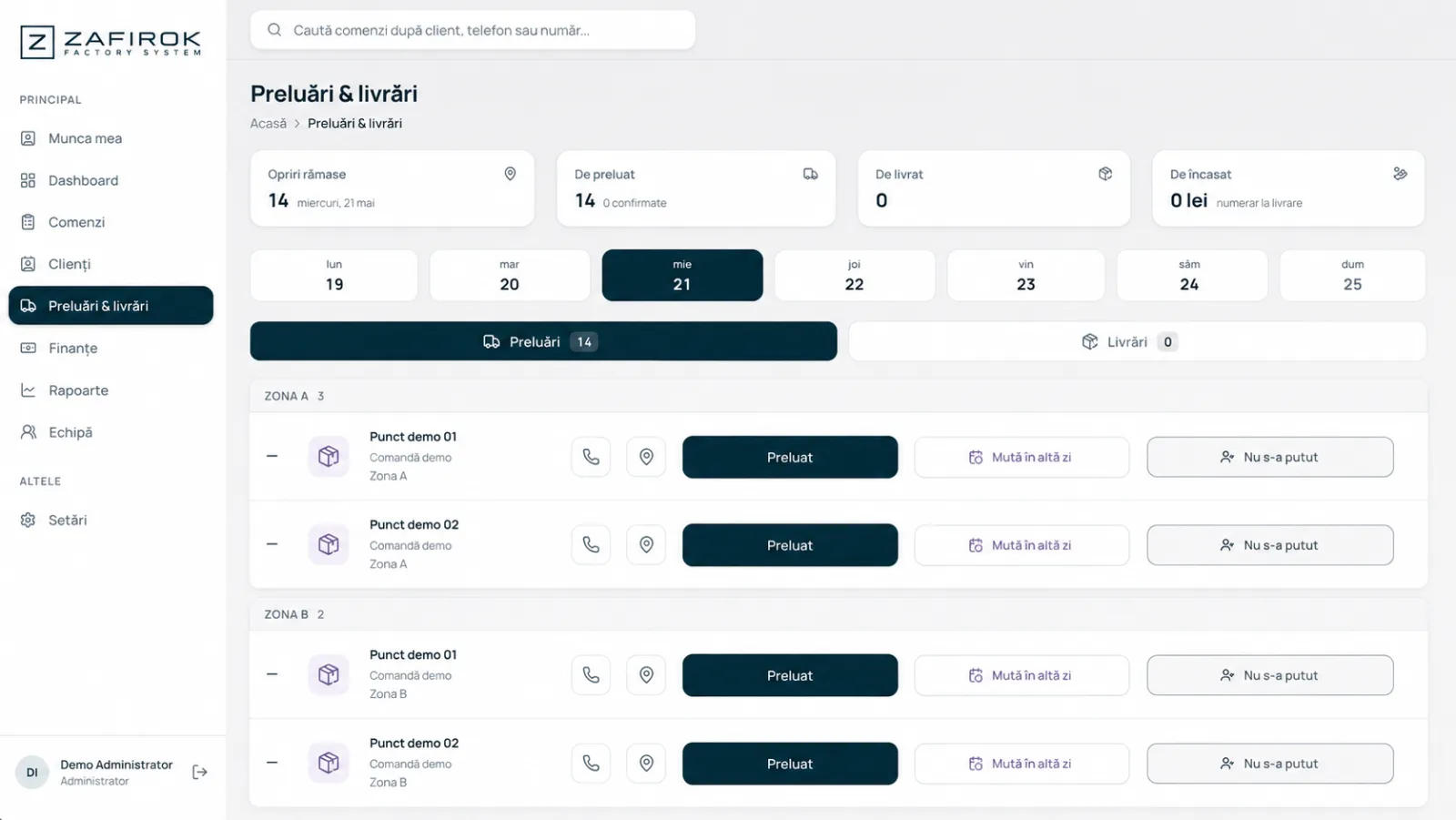
In Zafirok, the Pickups & deliveries screen (Preluări & livrări) has a 7-day strip for choosing the day and, for the selected day, shows the stops left, what is to be picked up and delivered, and the money still to collect. Stops are grouped by district and sorted by time; from each one you can call the customer, open the address in maps, copy it or move the stop to another day. When marking a pickup as done, the driver confirms how many carpets were picked up and the order moves to Received; if a visit fails, the driver picks a reason: not at home, not answering the phone, asked for another day or wrong address. Washed orders that you deliver (walk-in orders do not appear there) are scheduled from Delivery scheduling (Programări livrare): the screen shows how many still have no delivery day, and you schedule them for today, tomorrow or another day, including all orders from one district at once.
The app does not optimise routes automatically: the dispatcher or the driver decides the order of stops; the driver uses the same web app on a phone, with a limited role (the closest default role is Worker, “Executant”). For more practical rules, see the guide to pickup and delivery routes.
How to take payment on delivery and close the day
The value of orders is not cash received, and cash received is not profit. We recommend linking every payment to its order and recording costs, using the same rule for allocating transport costs every month.
In Zafirok, at reception the Receipt button (Bon) opens a drop-off receipt (Bon de primire) ready for an 80 mm receipt printer, listing each carpet with its size and label, the amount to pay and, if something has already been paid, the amount paid and the balance (otherwise it says “Paid on delivery”). On delivery, marking the order as delivered opens Payment on delivery with Cash, Transfer or Invoice: the amount comes from the order and cannot be changed at the door. Once confirmed, the order moves to Delivered and the payment is recorded; with Invoice, the amount stays “to collect” on the order until you mark it paid in Finance. In the evening, the Daily balance (Sold de zi) shows money in and out and splits the incoming payments between pickup-and-delivery orders and orders customers brought in themselves; closing the day saves the cash and bank balances.
For transfers, the optional Bank module shows MAIB, ProCredit Bank or Victoriabank statements (Victoriabank is activated together with Zafirok support) after a manual sync, read-only; a transfer is matched by hand to the payment already recorded on the order. The app never initiates payments or creates payment records by itself.
A hypothetical example in Moldovan lei, unrelated to Zafirok’s prices: 60 m² at 35 lei/m² gives 2,100 lei. After a 100 lei discount, revenue is 2,000 lei. Assumed direct costs of 900 lei, transport of 250 lei and packaging and other supplies of 150 lei leave 700 lei, or 35% of revenue, before fixed costs and taxes. A second delivery trip reduces what is left. The example shows the logic of the review, not a calculation the app makes for you.
How to pay washing staff and drivers
Washing staff can be paid per square metre, and drivers by the hour or with a fixed salary. In Zafirok, Finance → Payroll (Salarii) has per-employee rules: a fixed monthly salary, hourly pay, pay by volume (for example lei per m²) or a percentage of the order, with optional Beginner, Intermediate and Advanced levels. Quantities, such as the square metres washed in a month, are entered by hand and are not calculated automatically from orders. Salaries can be planned for a date, and marking one as paid creates an expense in Finance.
The automatic “your carpets are ready” message
A short SMS when carpets are ready can reduce the “are my carpets ready?” calls. In Zafirok, the message is switched on in Settings → SMS and is sent once per order, when the order is moved into the stage chosen as “ready” (Awaiting delivery by default). You can have one text for customers you deliver to and another for those who collect themselves, with the customer’s name, the order number and the order total filled in automatically. The app does not send manual or bulk SMS, payment reminders or WhatsApp and Viber messages. Messages go out “Through Zafirok”, using the units of an SMS package or the prepaid balance (not available to companies that keep their books in USD), or through the company’s own sms.md account, for Moldovan numbers only, with the messages paid directly to sms.md; in that case the Zafirok SMS module must still be active, and its monthly package sets how many messages can go out.
How to capture enquiries and use customer history
With the optional modules, a form submitted on your website creates a new customer in the New column or, if the phone or email matches an existing customer, adds the request to that customer’s record (website forms), and messages from your Facebook Page and the Instagram professional account linked to it are read in one inbox (Messages). Coloured labels mark, for example, corporate customers, and order history keeps the address, access notes and delivery preferences. A monthly review helps: late orders, carpets returned for re-checking and repeated deliveries show which reception rule is worth fixing.
How Zafirok helps a carpet cleaning business
- New order with the number shown before saving, brought in or picked up, district, pickup day and time, and carpets as width × length.
- Cleaning rates: price per m² with and without pickup, disinfection, urgency and a minimum order for pickups.
- Stages from Booked to Closed and Dashboard alerts.
- Pickups & deliveries and Delivery scheduling, with stops by district and reasons for failed visits.
- Drop-off receipt, payment on delivery at the order amount and the Daily balance.
- Automatic SMS at the stage chosen as “ready” (Awaiting delivery by default); optionally, per-m² payroll, bank statements, website forms and Messages.
The stages, rates, roles and SMS texts are a starting model: each business sets them up to match the way it works. If you prefer, the Zafirok team can do the setup for you: write to us via the contact page or create an account.
What it does not do: it does not optimise routes, record shelf locations, print tags or QR codes, handle upholstery as a separate item type, show pickups in a calendar or send win-back campaigns. Besides the base subscription and the cleaning industry module, Pickups and deliveries, Finance and payroll (which includes the Daily balance) and SMS notifications are paid separately, as are Bank, website forms and Messages; details are on the pricing page. See also the cleaning configuration.
How to get started
- Set your m² rates in Cleaning rates, then check on three recent orders that the calculated amount matches what you would have charged.
- Enter active customers and orders in progress.
- Follow a few orders end to end: one brought in, one picked up, one with several carpets and one with a rescheduled delivery.
- Give the driver phone access with a limited role.
- Switch on the “ready” SMS after testing the text.
- After a week, compare how long it takes to find an order, how many deliveries were repeated and any cash differences.
Frequently asked questions
Does a small carpet cleaning business need software?
Yes, if information gets lost between people or channels. The number of handovers (phone, reception, workshop, driver) matters more than the size of the business. You can do the setup yourself or with the Zafirok team (contact page).
Can I track each carpet within an order?
Each carpet has its own size and label in the order, and the card shows how many were brought in and how many measured. Stages, however, change for the whole order, and physical identification is organised by the business.
Does the software plan the driver’s route?
No. Zafirok groups stops by district and sorts them by time, with call, map and move-to-another-day actions, but it does not calculate an optimal route; the dispatcher or driver sets the order of runs.
How do I avoid price arguments at delivery?
We recommend calculating the amount from square metres and the rate before the work and keeping it in the order. In Zafirok, the amount collected at the door comes from the order and cannot be changed on the spot, and after the first payment only an administrator can change measurements.
Sources
- Salesforce: an introduction to customer relationship management
- SAP: an introduction to enterprise resource planning