
Custom furniture
From measurements and design to workshop production and installation. Keep every project, client and payment connected.
- Production stages and checklists
- Workshop planning and team commissions
- Contracts and payments in instalments
Manage your clients and day-to-day operations in one place. From the first inquiry to production, service, delivery and payment, Zafirok keeps your team working together.
Built around your business
Choose from 15 business configurations. Each starts with the relevant modules and work stages, which you can adapt as your business grows.
From measurements and design to workshop production and installation. Keep every project, client and payment connected.
For carpet and upholstery cleaning, with the full journey from pickup to cleaning, delivery and payment.
Organize glass replacement jobs, from the appointment to completion, with a clear view of each job’s cost.
How the work connects
Keep information alongside the client and the job, from the first conversation to the final payment.
Keep the client's contact details and requirements together, so the next conversation starts with the context at hand.
Set the requirements, deadline, documents and responsibilities; plan tasks when the job calls for it.
The team follows its assigned tasks and stages. Issues, photos and confirmations stay in the context of the job.
Record collections and costs, then check outstanding amounts in orders and Finance.
What you can organize in Zafirok
Each module has a clear purpose: sales keeps the client relationship in view, operations shows what needs doing, and finance tracks the money. Choose the tools that fit your work and give each colleague the access their role needs.
Keep the context of every conversation and turn an inquiry into an order with clear requirements.
See who contacted you, what they need and where the conversation stands. Each client profile brings together contact details, notes, history and orders, so a colleague can pick up the discussion without searching through separate notebooks or message threads.
Every order has a record with its client, requirements, deadline, assigned people and files. Track its commercial progress through your company's stages and keep documents alongside the work, so the team can find the details they need to move it forward.
Coordinate the workshop, materials and field team with tools suited to your line of business.
Track the execution of each product or batch separately, whether linked to an order or made for stock. Define stages and responsible people, see blocked work and keep explanations and photos together, from the moment an issue is reported until it is resolved.
Break a project into tasks with a duration, deadline and responsible person, then see their sequence on a Gantt timeline. Task dependencies help you understand the effect of a delay, while alternative views make the plan easier for the team to follow.
Record supplier invoices or receipts and allocate their lines to orders or warehouses. See which materials were purchased for a job, which documents await approval or payment, and how purchase prices have changed across the records entered by your team.
See where recorded goods are held: in a warehouse, allocated to an order or handed to a person. Record receipts, transfers, handovers and issues, then use the movement history to follow where a quantity came from and where it went.
For businesses that sell equipment and provide installation or maintenance, each order keeps products and services separate. Assign a date and technician to each service, then use the scheduled services screen to see what the team needs to do in the coming days.
Your configuration adds details suited to the work: cleaning businesses organize delivery appointments, while dental businesses track prosthetic cases. Clinics and laboratories can connect by invitation and explicitly share the specifications and files a case needs, with design approval controlled by the clinic.
In the cleaning configuration, drivers see the day's stops, client details and amounts to collect. My work gives each colleague a view suited to their role, with assigned tasks and orders, so they can see where to start their working day.
Understand company results and give each part of the work a clear owner.
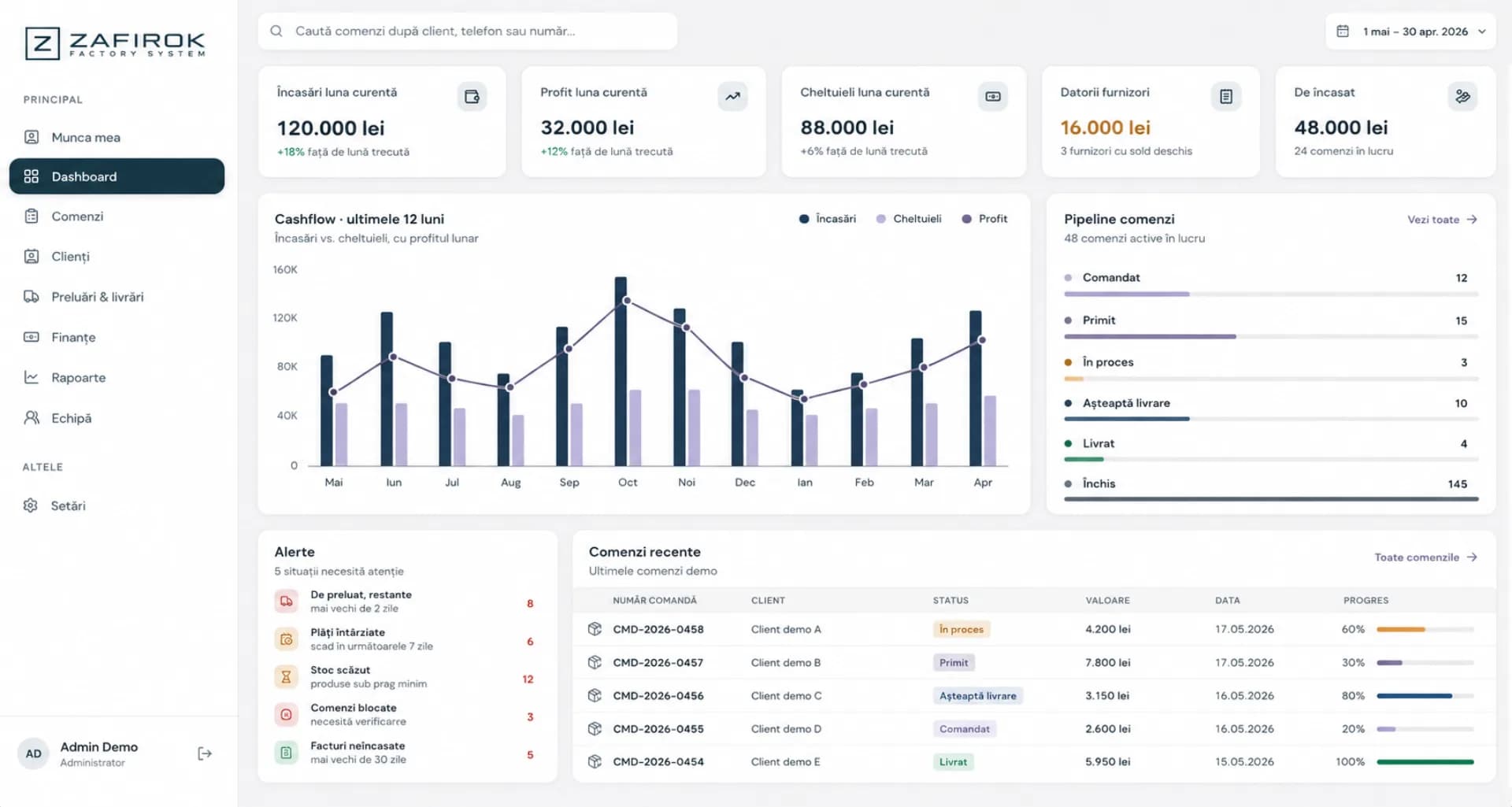
Start with an overview of orders, money collected and alerts that need attention. Indicators use the information your team records, helping you see current activity and reach the orders or transactions that need a closer look.
Record money received and expenses, linked to an order or to the wider business. Keep the value of a job separate from the money actually collected, track instalments and outstanding amounts, and see what remains to be paid to your suppliers.
Keep remuneration rules and track commissions associated with jobs and team members. See the calculated amount, what has already been paid and what is still due, with recorded payments providing a clear history for each employee and the work they contributed to.
Invite colleagues with a chosen role and decide what they can view or change. Hide selected modules, prices or documents and restrict workers to their own tasks, so each person works with the information needed for their responsibilities in the company.
Bring conversations and relevant information closer to your clients with integrations that fit your business.
With Messages activated, connect your Facebook Page and its linked professional Instagram account to reply from one place. Replies follow Meta's 24-hour messaging window; comments and post publishing appear only for connected accounts that have the required Meta permissions approved and granted.
Connect your company's Moldova e-Factura account with its API user to view synchronized invoices and PDF documents. The integration provides read access and is activated per company; employee access follows Finance permissions. Other invoicing systems are discussed separately with support.
Send SMS after configuring the service: through Zafirok where available, or through your own sms.md account for Moldova. For US businesses using USD, a compatible connected RingCentral account brings recorded calls from +1 numbers into the client's history.
Available and active modules depend on your company's configuration and selected options. Some need separate activation in Settings; external connections require a compatible account and the provider's permissions.
Illustrative images with demo data and the interface in Romanian. Available screens depend on your company's configuration.
Explore all modulesFor businesses with pickups and deliveries, such as carpet cleaning. Drivers see the day’s stops on their phones, call the client, open the map and confirm the visit.
Every team member gets a role: for each module you choose whether it's hidden, view-only or editable.
Pricing
Standard is your starting point. Add the module that fits your business.
Prefer a one-time payment?
Pay once and get $45/month towards the Zafirok configuration you choose, for the lifetime of the product.
$2,500
one-time payment
Choose the lifetime licenseFor one company. The $45 monthly allowance stays fixed, does not accumulate and has no cash value. Standard prices may change; any amount above the allowance is billed separately.
Net savings assume full use of $45 every month compared with standard monthly billing, after deducting the $2,500 purchase price. SMS, AI and additional paid services are excluded.
Email or Google, in two minutes, no credit card.
Business type, team size, how you work.
We suggest exactly what your company needs. Adjust any time.
Start from a ready-made example, in your business's own terms.
Can't find the answer? Write to us at zafirok.com and we'll get back to you.
In a secure database, separated by company: no one outside your team has access to it. Attached files are kept in private storage and can only be accessed through your account.
Yes. You create roles and choose for each module whether it's hidden, view-only or editable, and prices, payments and the client's phone number can be hidden separately. An installer can see an order without a single amount on it.
Yes, the app is built for the field: drivers see the day's route on their phone, confirm pickups and collect payment on delivery. It can be added to the home screen like a regular app.
Yes. We've already migrated entire order histories from Airtable and CSV for existing clients. Write to us and we'll prepare the import for your data.
Choose a monthly subscription with Standard and the industry module you need, or a one-time lifetime license. See the Pricing section above for amounts, active employee costs and optional extras.
Your account takes two minutes, and the app sets itself up for the way you work.