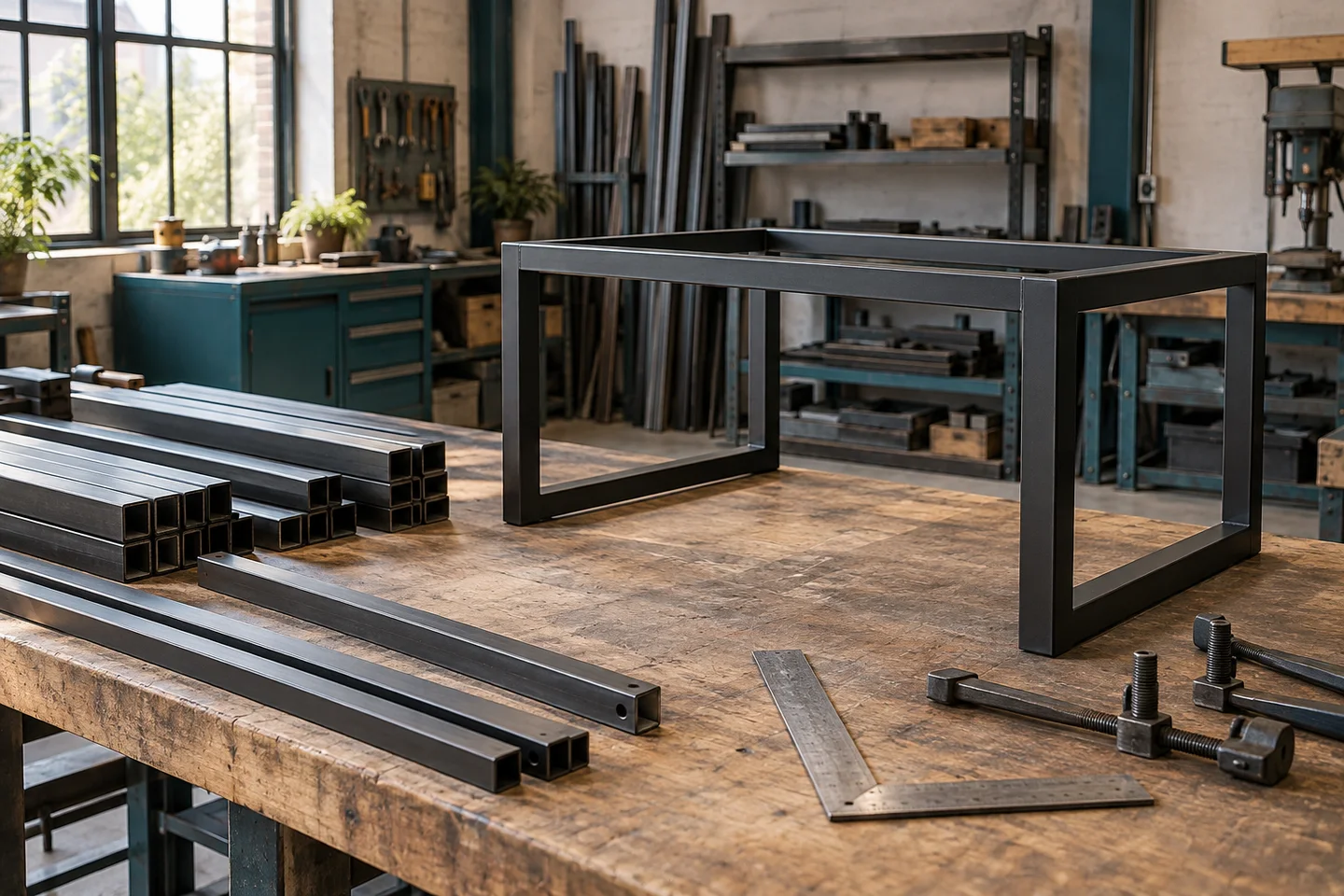
Metal fabrication shop software, in other words a CRM and ERP app, keeps, for every order, the confirmed requirement, the approved drawing, the fabrication stage and its owner, the deadline, materials, the deposit and costs. Metalwork order tracking works when the office and the shop floor follow the same drawing revision and every change is priced and scheduled before it is made.
Gates, fences, railings, stairs and metal furniture ordered from a workshop are usually made to measure: unusual dimensions, a fit within an existing space, a look chosen by the customer. This guide follows one order from enquiry to handover, showing what to organise and what you can track in Zafirok.
In short
- The confirmed requirement and the correct drawing revision stay with the order from quote to handover.
- We recommend pricing and scheduling every change before it reaches the shop floor.
- It helps if each stage has a clear result and an owner, and the promised date allows for materials and outside operations.
- A deposit is not profit: compare the price with all job costs, including materials and rework.
- Zafirok covers customers, orders by stage, production, materials and money per order; CAD design, CNC programming and cutting optimisation stay in your technical tools.
What metal fabrication shop software should do
A CRM organises information about customers and conversations with them; an ERP brings a company’s processes and resources into shared records. When every order is different, relying on one person’s memory limits the business: if that person is away, colleagues should be able to see in the order what was approved, what comes next and how much is still due. Shop software (CRM and ERP) should offer at least:
- orders by stage, each with a visible owner and deadline;
- files and photos attached to the order: sketches, measurements, the approved revision;
- deposits and the outstanding balance per order;
- the cost of materials and outside operations per order;
- roles: who sees prices and which order stages each person sees;
- checklists for measuring and installation.
How to turn an enquiry into a clearly scoped quote
A photo from a customer is a starting point, not a specification. Before quoting, it helps to clarify the purpose, the dimensions confirmed by the responsible person, the desired finish and the delivery or installation conditions, and to keep the first estimate apart from a quote based on checked information, so the customer knows what they are buying and which questions are still open. A clear quote can state, for example:
- The work, quantity and drawing revision to be used.
- What the price includes and what is agreed separately: coating, transport, installation, automation.
- The deadline, payment terms and the person responsible for confirmations.
In Zafirok, the customer (private or business) and the order sit together: job description, delivery address, contract value, deadline and files. Companies that keep their books in lei enter the contract value in EUR and payments in lei, at the company’s own EUR rate. Zafirok has no quote module, so you calculate the price in your own tool and enter the accepted value in the order; the contract can then be generated from the order as a PDF or Word file with the optional Document generation module. Optionally, website enquiries become new clients (Website forms) and Facebook and Instagram messages arrive in a shared inbox (Messages); you create the order yourself once the request is confirmed.
How to control drawings and customer changes
A common failure is the office discussing a new revision while the shop keeps working from the old one. A simple file-naming convention helps, for example Gate_Project07_R02_approved, and a rule for who confirms the working revision.
For a change, we recommend recording the request, its effect on the work, the extra cost and the new date, getting the customer’s agreement before doing the work and telling the colleagues involved. In Zafirok, drawings and photos sit in the order’s Documents tab, with preview for images and PDFs. Uploading a file does not replace commercial confirmation or the technical check the job needs.
Once work has started, even an apparently small change can mean rework, an extra operation or another site visit. It is worth assessing the impact before promising the same price and date.
A small change can carry a large cost
Which stages a metalwork order needs
A practical flow: measurement and clarification, quote, confirmation and deposit, preparation, fabrication, coating or finishing, checking, installation and handover. It helps if each stage describes a result, not just that someone is “on it”; for example, preparation is finished when the responsible person has checked the information fabrication needs.
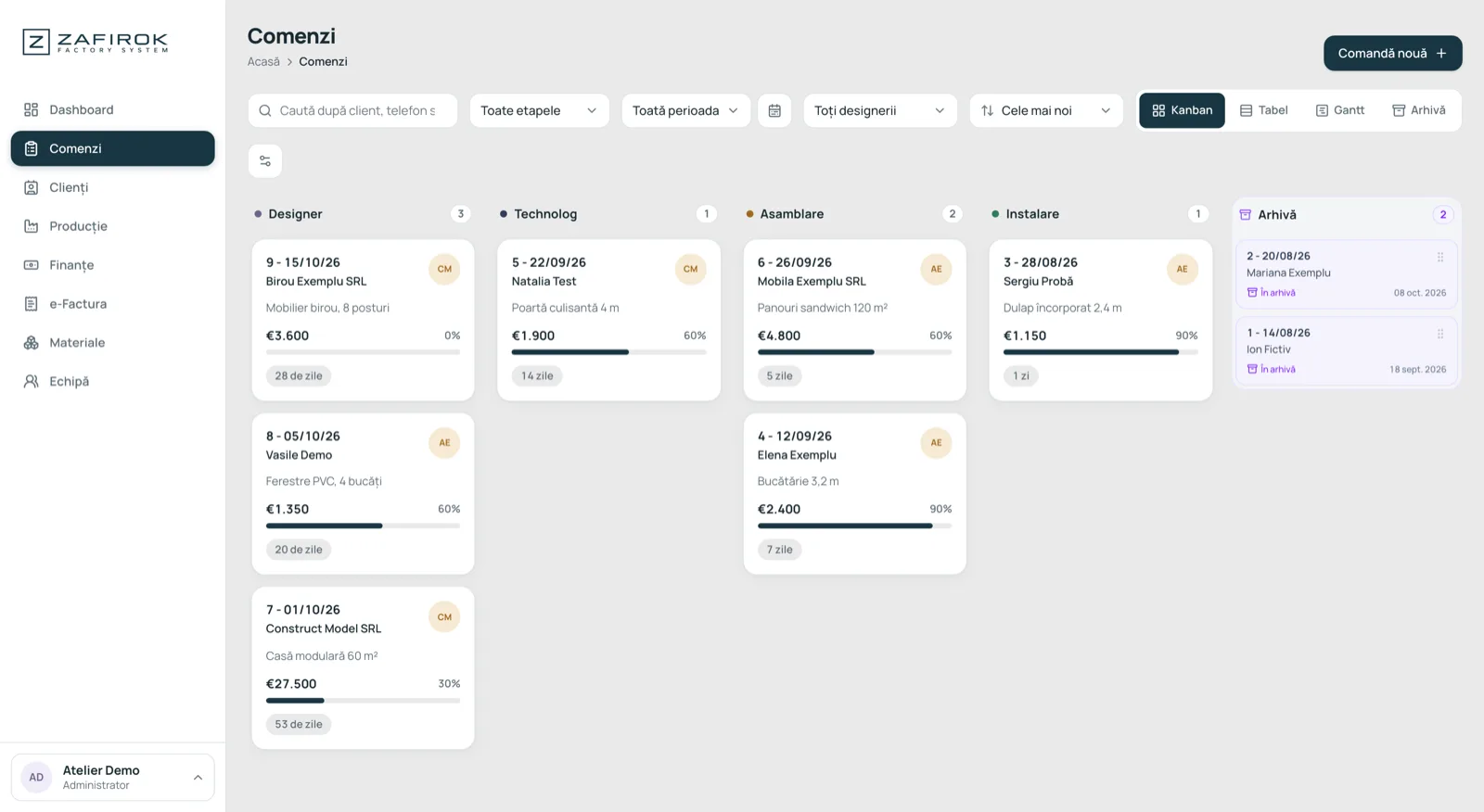
In Zafirok, the configurations for gates and fences and for factories start with the stages Design → Technical design → Assembly → Installation → Archive (Designer → Technolog → Asamblare → Instalare → Arhivă in the Romanian interface), which the administrator can rename or extend in the Kanban settings. In the default stages, two payment checks are tied to the stage names: an order cannot leave Design until 60% is paid, or leave Installation until 100% is paid. If you rename these stages, the checks switch off, which is useful for a shop that works with a different deposit; when you save, orders in a renamed or deleted stage move to the first stage, so it is best to plan the flow before changing it.
For steps that are easy to forget (checking dimensions, primer, fittings, installation anchors), you can create checklist templates in Settings → Workflow. On the order you can assign a person in charge to each list or task, and the team ticks tasks off as they finish them.
How to follow fabrication and promise realistic dates
Materials, outside operations (powder coating or galvanising at a supplier) and team availability determine when a job can start. It helps to record in the order what needs checking and who is responsible, and to review it before promising a delivery date.
In Zafirok, shop-floor work is tracked in the Production module: a production job linked to the order moves through the shop workflow (by default Preparation → Manufacturing → Quality control → Ready for handover). A job leaves the Quality control stage only after the quality check is confirmed, and a problem is reported as a blocker (Warning or Critical) with a required reason and optional photos, for example of the welds; the job stays at its current stage until the blocker is resolved. The production job does not move the order or change its payments. For large jobs, Gantt planning, switched on per order, links tasks through dependencies, highlights critical tasks and compares planned cost with the budget.
The order has a delivery deadline, but the app does not plan shop capacity automatically: a tidy board does not create working hours, and an impossible date does not become possible because it appears in the software.
How to cost a job beyond the price of the steel
A quote can look attractive when only the purchased metal is considered. It is worth including labour, outside operations, transport, installation and rework, with a clear rule for allocating shared costs. A deposit funds part of the job but does not show how much the business earns from it.
In Zafirok, supplier invoices are entered in the Materials module (Materiale): each line goes to its order or to stock, an item bought for two orders is split between them, and transport is spread over the goods. The Material estimate compares planned and purchased materials, and Price analysis shows each material’s price history. Invoices received through e-Factura can be viewed, read-only and without automatic import, in the optional e-Factura module. Moving one into Materials is a manual step: download its PDF there, run it through Scan in Materials, choose the order for its lines, check the data and save.
A hypothetical example in Moldovan lei, with amounts excluding VAT: on a price of 12,500 lei, after materials (5,200), labour (2,800), outside operations (1,200) and transport (500), the contribution is 2,800 lei, or 22.4%, before fixed costs and taxes. Rework costing 800 lei reduces it to 2,000 lei, or 16% of the price. If a 60% deposit (7,500 lei) has been received, 5,000 lei remain to be collected. The figures are illustrative.
Payments are recorded in Finance with the New payment button, choosing the order (60% advance, 30% advance, 10% advance or 100%, with a Paid or Unpaid status and a date), and other costs with New transaction, linked to the order. They then appear in the order’s Payments and Expenses tabs, and the side card shows profit, margin, the amount collected and the balance due. The card’s profit and margin deduct only the costs in the Expenses tab and commissions; supplier invoices from Materials appear separately, as Material cost in the order’s Materials tab, so add them yourself when working out the real margin. If labour or coating is left out, the margin will look better than it really is.
How to pay welders and installers
In Finance → Payroll (Salarii), each employee can have one or more pay rules: fixed monthly, hourly, by volume (in a unit the company chooses, such as square metres or pieces) or a percentage of the order value. Quantities are entered by hand per month, optionally linked to an order, and a salary marked as paid becomes an expense in Finance. The app does not calculate pay from production jobs or split it automatically across a crew.
How to close the order after installation
Finishing fabrication and completing the order commercially are different moments. Before handover, it is worth checking the agreed requirements, the schedule, the contact person and the documents needed; any non-conformity or extra work is best recorded with an owner, so an order closed too early does not hide work still to be done. When the job is ready, the customer can receive an automatic SMS, sent once per order when it enters the stage you choose.
After closing, compare the estimate with what actually happened: which changes took time, where the extra cost came from, what information was missing when quoting. The lessons help with future quotes, without treating a single order as the rule.
How Zafirok helps a metal fabrication shop as CRM and ERP software
- Clients: private and business customers, search by name or phone, the client timeline and coloured labels.
- Orders: Kanban and Table views, configurable stages, files in Documents and checklists.
- Production and Gantt planning: production jobs with quality checks, blockers with photos and plans with dependencies.
- Materials: supplier invoices by order, the materials estimate, price analysis and Scan.
- Money: 60–30–10 payments, payment checks in the default stages, expenses, profit, margin and payroll.
- Optional: Document generation, e-Factura (read-only), Website forms, Messages and the “ready” SMS.
The stages, checklists, roles, production flow and SMS text are a starting model: each shop sets them up to match the way it works. If you prefer, the Zafirok team can do the setup for you: write to us via the contact page or create an account.
What it does not do: Zafirok does not do CAD design, program CNC machines or optimise cutting. Orders have no dedicated technical fields for profiles, thicknesses or dimensions, so these go into the description, files or checklists. There is no quote module, no customer portal and no automatic capacity or material requirements planning (MRP).
How to evaluate the software on your own orders
Test the software with three real situations: a simple order, one with an accepted change and one with a deposit followed by the final payment. Involve both the colleague who talks to the customer and the person who coordinates fabrication.
- Define your real stages and who updates each order.
- Enter active customers and orders with the deposits already received.
- Attach the current drawings and apply the revision naming rule.
- Enter new supplier invoices in Materials by order and create a checklist for installation.
- After a full cycle, review missing information, delays and how easily you can explain each order’s balance and margin.
Frequently asked questions
Is software useful for a small metal fabrication shop?
Yes, especially when several colleagues discuss or work on the same order. Shared history and easy-to-find documents reduce dependence on one person’s memory.
How do I handle a change requested after fabrication has started?
We recommend recording the request, assessing the impact on price and timing and getting the customer’s agreement before doing the work, then updating the documents and telling the team clearly which revision is approved.
Does Zafirok replace design and cutting optimisation software?
No. Zafirok organises customers, orders, production, materials and money; CAD design, CNC programming and cutting optimisation stay in the shop’s technical tools.
Can I block work until the deposit is paid?
Partly. In the configurations for gates and fences and for factories, an order cannot leave the Design stage until 60% of its value is paid, or leave Installation before 100% is paid. The check is tied to the stage names (rename them and it no longer applies) and only stops the order moving between stages: a production job can still be started before the deposit is paid. If you want that order of work, you can agree it as an internal rule; the Zafirok team can help with the setup (contact page).
Do e-Factura invoices land on orders automatically?
No. The e-Factura module only reads invoices. Putting one on an order takes manual steps: download its PDF, run it through Scan in Materials, choose the order for its lines, check the data and save.
Read next: software for custom gates and fences and how to price a custom job.
Sources
- Salesforce: an introduction to customer relationship management
- SAP: an introduction to enterprise resource planning