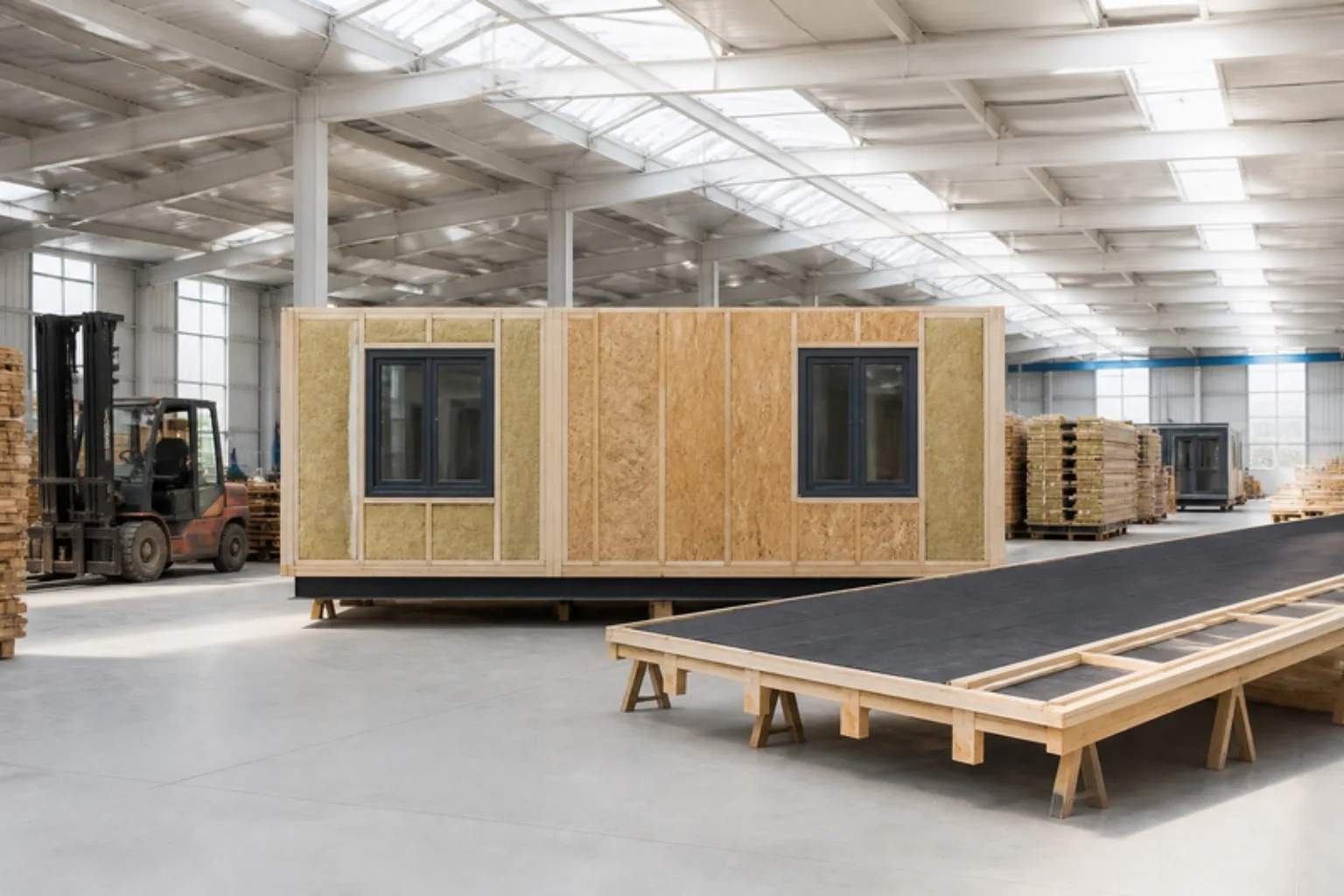
Modular home builder software, in other words a CRM and ERP app, helps you keep control of a project that lasts weeks or months: the file of plans and permits, configuration changes and their effect on price and lead time, factory stages, transport, on-site assembly and staged payments. A way of working that holds up well: treat each house as a single order, with its documents, decisions and payments attached, visible by stage to the whole team.
Unlike a window or gate order, a modular house passes through many hands, and decisions are made over time, sometimes months apart. This guide shows how to track modular house projects, what to check before transport and where Zafirok can help, without promising the customer more than you can control.
In short
- We recommend making each house one order with a complete file: plans, specification, contract, annexes and photos.
- It is safer to accept changes with a recalculated price and lead time, confirmed in writing.
- It helps to keep factory stages and site stages separate, each with a clear exit condition.
- It is best to schedule transport once the foundation and access are confirmed.
- Payments follow the contract; in Zafirok's default stages, the 60% deposit and full payment are checked when an order leaves Designer and Instalare (installation), and the flow can be adapted.
The project file: which documents live on the order
After three months of production, nobody remembers which plan revision the customer signed. A good project file answers “what are we building from?” without phone calls. For each house it is worth keeping, for example:
- the approved plans (floor plans, elevations, sections), exported to PDF;
- the technical specification: wall, roof and floor build-ups, windows and doors, finishes;
- electrical and plumbing layouts, if they are part of the contract;
- the contract, annexes and the customer's confirmations;
- land and permit documents, if the project needs them and the company is responsible for them;
- photos of the plot, the foundation, every factory stage and the assembly.
In Zafirok, all of this goes into the order's Documente (documents) tab as files and photos of up to 25 MB each; images and PDFs open in a preview, and the whole account has 1 GB of storage. CAD models stay in your design software; for the team, plans can be exported to PDF. A naming convention with a revision number helps (for example GroundFloor_R03, Annex_02_signed), and you write in the order's Descriere (description) which revision is approved.
Configuration changes: a 5-step procedure
On a long project, the customer will ask for changes: an extra window, a terrace, a different roof, other finishes. Each has a cost and an effect on the deadline, and the effect depends on the stage. Before production, a change alters a drawing; once the walls are closed, it means dismantling and rework. A procedure you can adapt:
- Note the request in the order's Descriere (description): exactly what was asked, when and by whom.
- The technical lead assesses the impact: materials, labour hours, affected stages and work already done.
- Send the customer the new price and the new date in writing.
- Once confirmed, upload the signed annex to Documente and update the contract value and the plans with a new revision.
- Tell the factory team what has changed and mark the old revision as cancelled.
A change accepted verbally during production is a discount the company gives itself.
Rule of thumb
Factory stages and site stages
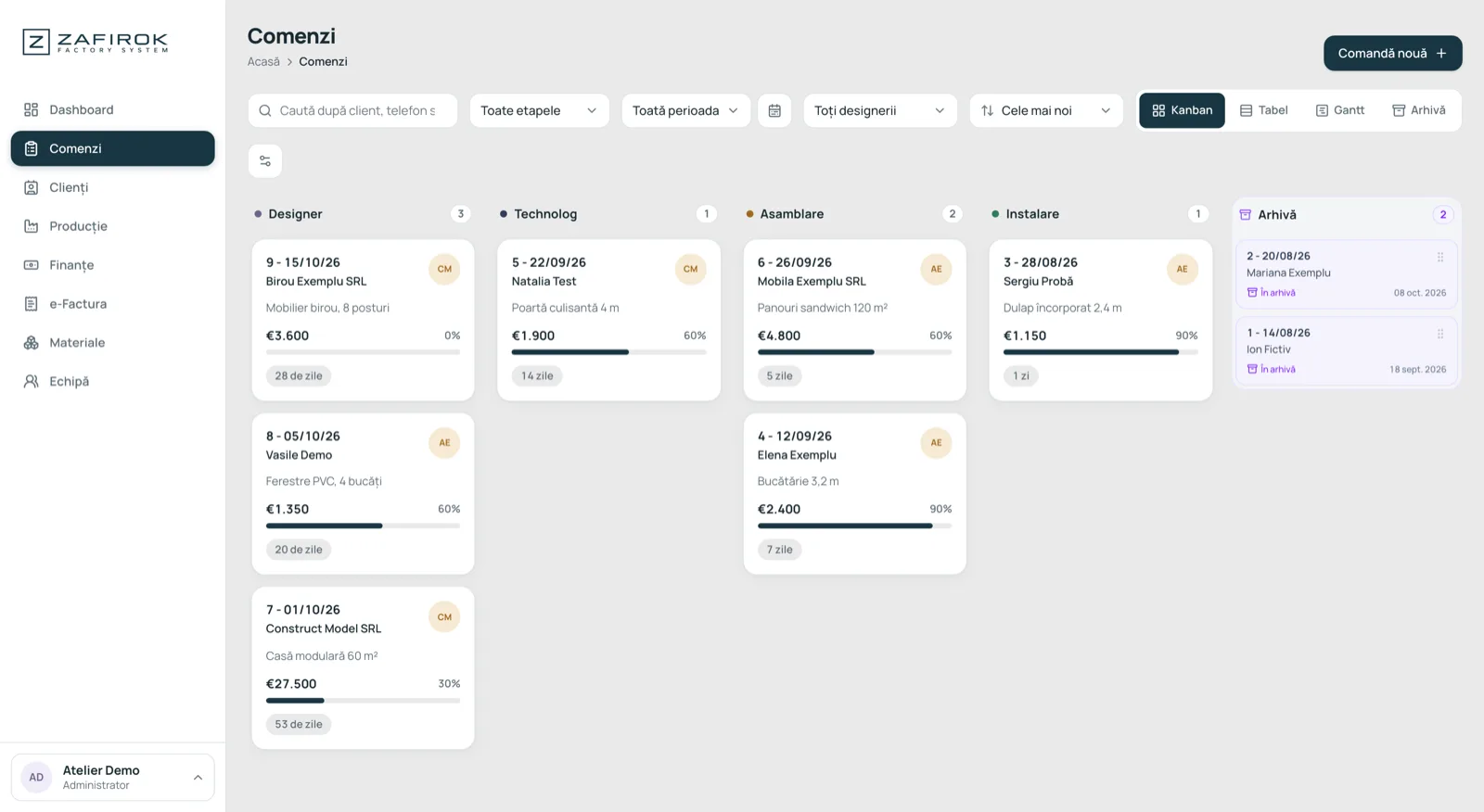
In Zafirok, the modular houses configuration starts with five stages, named in Romanian: Designer → Technolog → Asamblare → Instalare → Arhivă (designer, technologist, assembly, installation, archive), which an admin can rename or extend in Configurare Kanban (Kanban setup). We recommend settling the stages before projects start: orders in a renamed or deleted stage are moved to the first stage. One possible set-up: Designer for design, configuration, contract and deposit; Technolog for production documentation and release to production; Asamblare for building the modules in the factory; a new Transport stage placed before Instalare; Instalare for on-site assembly, connections and handover.
A stage that lasts weeks hides a lot of detail. Checklists, an optional tool on the order, make it visible: templates (Tipuri de checklist, checklist types) are created and applied from the order's Checklist-uri tab, with task groups and a responsible person per group or per task. For Asamblare (assembly), the groups might be: structure, walls and insulation, roof, windows and doors, building services, finishes, final factory check. Ticking tasks does not move the order by itself: you move it on the Kanban board.
Checklists show what is done and what is left, but they do not plan the factory's workload. How many houses go into production at once is still the production manager's decision.
Transport and assembly: the site readiness checklist
Delivery day is one of the most expensive days of the project: truck, crane and assembly crew in the same place. If the foundation is not ready, everything has to be rescheduled and part of it is paid for twice. Before confirming transport, many companies check, for example, that:
- the foundation is ready and its dimensions have been checked against the plan (who checked, with which photos);
- access for the truck and the crane is confirmed: road, gates, room to manoeuvre;
- transport and the crane are booked for the same day, with a fallback if the weather does not allow work;
- the on-site contact is known and their phone number is on the order;
- it is agreed who makes the utility connections and when;
- the assembly crew has the plans, the module list and the connection materials.
On the order, the plot address goes in Adresă livrare (delivery address), and the name and phone number of the person on site, for example the builder who poured the foundation, in Descriere (description). The phone field stays the customer's. The list above can become the checklist of the Transport stage, with a responsible person for each point.
Staged payments: the 60/30/10 example and stage checks
On modular house orders, the Încasări (payments) tab shows the 60–30–10 collection plan and the percentage paid. Payments are not entered from the order but in Finanțe (finance) with Încasare nouă (new payment): you choose the order, the type (60% avans, 30% avans, 10% avans or 100%), the status (Achitat = paid, Neachitat = unpaid) and the date, and the order's tab only lists them. An unpaid payment with a date works as a planned one: you see which money should arrive and when.
In the default stages, two payment checks are automatic: the order cannot leave Designer until at least 60% is paid and cannot leave Instalare until it is paid in full. Both depend on the stage names, so renaming those stages switches them off; that is how a company with a different deposit can adapt the flow. The 100% check runs only when an order leaves Instalare: an order moved straight to Arhivă from an earlier stage is not stopped. The app does not check the intermediate 30% instalment, for example before transport: you can add it as an item in the Transport stage checklist.
Hypothetical example: on a contract of EUR 40,000, the order leaves Designer once EUR 24,000 has been received, the EUR 12,000 instalment is requested before transport, and the last EUR 4,000 is collected after assembly, before archiving. If the company keeps its books in lei, the contract value is entered in euros with a lei preview, and payments are recorded in lei at the company's own EUR rate, which you can adjust on each payment.
If your contract has a different structure, record its amounts and dates; the app does not generate other payment schedules automatically. Project costs (subcontractors, crane, transport) are recorded in Finanțe with Tranzacție nouă (new transaction), linked to the order; they then appear in the order's Cheltuieli (expenses) tab, and the side card shows profit, margin, the percentage paid and the remaining balance. A deposit received is not profit.
Talking to the customer over a long project
A customer waiting months for a house calls often, and it is best if answers from different people match. A single contact helps, set as Manager on the order. You can note decisions about the house, with their date, in the order's Descriere (description), upload the customer's written confirmations to Documente, and write general conversations in Notițe (notes) on the client record.
Mutual promises can become tasks in the order's checklist, each with a responsible person: “customer confirms the façade colour”, “we send the terrace annex”, “we check the foundation”. In the Clienți (clients) module, the client record shows the notes, all of the client's orders and their total value, and you can search by name or phone.
When the house is ready for transport, the customer can receive one automatic SMS per order when it enters the chosen stage, for example Transport. It is switched on in Setări → SMS (SMS settings) and sent through the company's own sms.md account, paid directly to sms.md. The SMS screen was first built for carpet cleaners and comes with default texts about carpets: house orders use the text in the Când vine clientul să le ia (when the customer collects) field, so rewrite it, and do not use {total}, which does not show the contract value on these orders.
For example: “Hello {nume}, the house for order {comanda} is ready for transport. We will call you to agree the assembly day. The {alias} team”, where {alias} is the sender name. Zafirok has no customer portal or public tracking link, so the rest of the communication happens by phone and in meetings, with decisions noted on the order.
Roles: who sees what and who edits
The default roles are Administrator, Manager proiect, Executant, Colaborator proiect, Observator and Contabil (administrator, project manager, field worker, project collaborator, observer and accountant). For each module you choose Ascunde, Vede or Modifică (hide, view or edit), you can hide prices or the customer's phone, and under Coloanele comenzilor (order columns) you choose which stages each role sees and in which it can move orders.
- Project managers (Manager proiect) edit orders and see each order's price and payments; the Finanțe (finance) module is hidden from them by default.
- Factory and assembly crews (the Executant role) see orders with the description, address, deadline and documents, without prices or the customer's phone, and tick only their own tasks.
- The accountant sees finance without moving orders between stages.
- The administrator follows the team's actions from the last 5 days in the Activitate (activity) log.
Common mistakes in modular house production
- Production starts from a plan revision the customer has not signed.
- The factory team accepts a “small” change directly from the customer, without a price or a date.
- Transport is booked before the foundation is confirmed.
- The deposit is treated as profit, and subcontractor costs are not linked to the project.
- Promises made to the customer by phone are not written down anywhere.
How Zafirok helps: CRM and ERP software for modular home builders
Zafirok has a configuration for modular houses, built on the same base as the other production domains. In practice:
- Orders on configurable stages, in the Kanban or Tabel (table) view, with drag-and-drop between stages and a searchable archive.
- The order form: customer (private person or legal entity), Descriere (description), Adresă livrare (delivery address), Valoare contract (contract value, in EUR), Designer, Manager and Termen livrare (delivery deadline).
- Documente (documents) on each order: plans, annexes and photos, up to 25 MB per file, with a preview for images and PDFs.
- Payments recorded in Finanțe (Încasare nouă) with type, status and date, the 60–30–10 plan on the order, the 60% and 100% checks in the default stages, expenses linked to the order (Tranzacție nouă) and the side card with profit and remaining balance.
- Checklists from templates, with task groups and responsible people.
- Clients with notes, all of each client's orders, their total value and search by name or phone.
- Roles with access per module and per stage, an activity log and one automatic SMS, sent through the company's sms.md account, at the chosen stage.
The stages, checklists, roles and SMS text are a starting model: each company sets them up to match the way it works. If you prefer, the Zafirok team can do the setup for you: write to us via the contact page or create an account.
What it does not do: it does not design the house or do its technical calculations, has no dedicated fields for the house configuration, does not plan factory capacity automatically, does not generate custom payment schedules and has no customer portal.
Frequently asked questions
Can I keep the house plans and permits on the order?
Yes, in the Documente (documents) tab, as files or photos of up to 25 MB each; images and PDFs open in a preview. For large models, export the plans to PDF and keep the source files in your design software.
How do I handle a change requested during production?
We recommend noting the request in the order's Descriere (description), assessing the cost and time, getting written confirmation and uploading it to Documente, then updating the contract value and the plans. That way the factory team gets the new revision after confirmation.
Can I use a payment structure other than 60/30/10?
Yes. You record the amounts and dates your contract sets, as paid or planned payments. The automatic checks in the default stages are 60% when leaving Designer and 100% when leaving Instalare; if you work with a different deposit, renaming those stages switches them off. Other payment schedules are not generated automatically; the Zafirok team can help with the setup (contact page).
Can the customer follow the house's progress online?
No, Zafirok has no customer portal or public tracking link. The customer can receive one automatic SMS when the order reaches the chosen stage; other updates happen by phone or in meetings.
Can I see how much I earn on each house?
Yes, if you record the project costs in Finanțe with Tranzacție nouă (new transaction), linked to the order. The order's side card shows the contract profit and margin alongside the percentage paid and the remaining balance; the figures are only right if every cost is recorded.
Create an account and set up your first modular house project