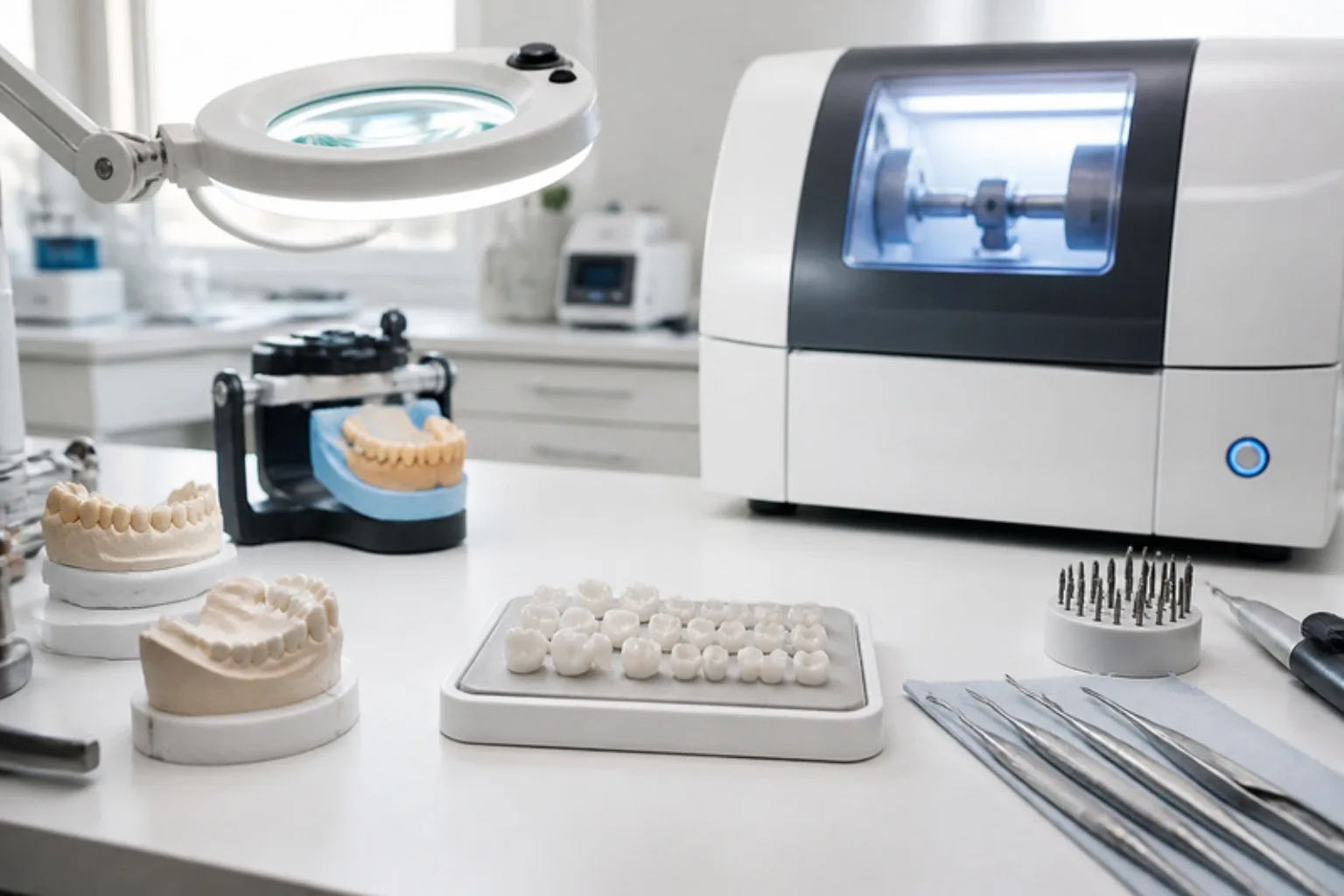
Dental lab case management software, a CRM and ERP app for prosthetic work, shows for every case what the dentist ordered, which stage it is in and when it leaves for the clinic. Tracking prosthetic work runs smoothly when each case has a complete record (teeth, type of work, material, shade, instructions), one responsible technician and a delivery date worked back from the patient's appointment.
Below you will find the workflow step by step, what to record at intake, the mistakes that lead to remakes, a checklist and what Zafirok actually does for a dental lab, including what it does not do.
In short
- Check the prescription and the files at intake, before you confirm a date, so missing information comes to light before it leads to a remake.
- On every case, record the teeth in FDI notation, the type of work, material, shade, quantity, the dentist and their instructions.
- We recommend starting production after the design is approved, and approving the design again if the specification changes.
- Quality control compares the work with the case record, not with the technician's memory.
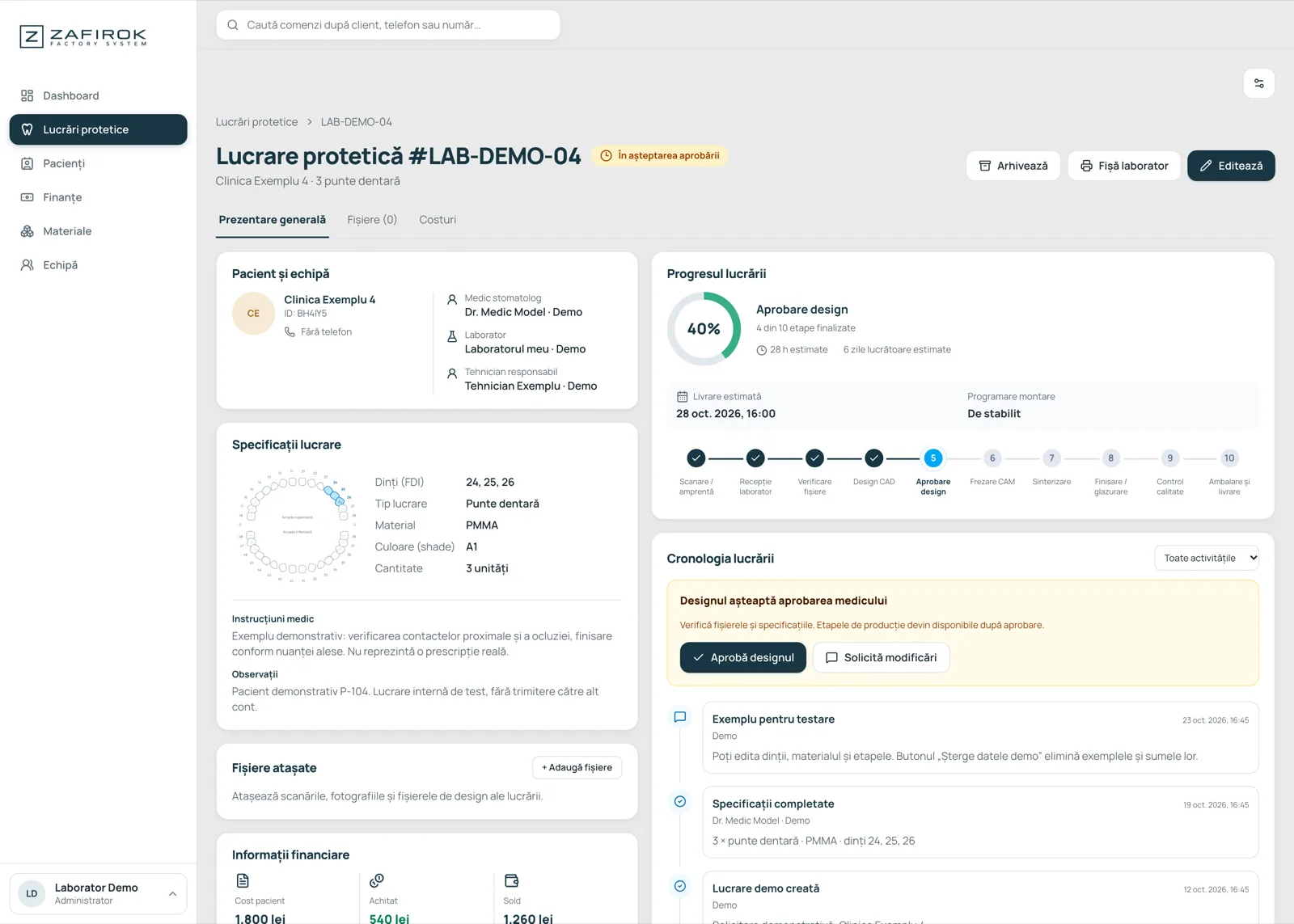
- Zafirok gives a lab a case record, 10 internal progress steps with production locked until the design is approved, a printable lab sheet (without amounts) for the cases the lab enters itself and a separate list of cases received from clinics.
What dental lab case management software solves
In a small lab, information about one case arrives through many channels: the dentist's paper prescription, a scan sent by email, a shade photo on a messenger app, a detail given over the phone. Each channel works on its own, but together they leave room for errors.
A technician works from an old version, the shade agreed on the phone never reaches the record, and only the person who spoke with the clinic knows when the patient is coming in for the fit. A tracking system does not make the restoration better, but it makes the whole team work from the same record and see the same deadlines.
The workflow of a prosthetic case, from intake to delivery
An example workflow that is easy to follow on a board with columns has six stages (they are also Zafirok’s default stages). It helps if each stage has a clear exit condition, so a case does not move on with missing information.
- New request: the dentist has sent the case. You check the prescription, the files or impression, and only then confirm the date.
- Received: the lab has accepted the case, which now has a responsible technician and a delivery date.
- Design: the design is done and, when the case requires it, sent to the dentist for approval.
- Production: milling, sintering, ceramics and finishing, depending on the work. As a rule, this stage starts after the design is approved.
- Quality control: the work is checked against the record and, where useful, photographed before packing.
- Delivered: the work has left for the clinic together with its sheet.
What to record on every case
Tracking prosthetic work starts with a record that another technician can understand without calling the clinic. The useful minimum:
- The teeth, in FDI notation (ISO 3950): the first digit is the quadrant (1–4 for permanent teeth), the second is the tooth's position counted from the midline (1–8). For example, 11 is the upper right central incisor and 36 is the lower left first molar.
- The type of work and the material, exactly as the dentist ordered them.
- The shade, using the shade guide the clinic works with (for example A2 or A3), plus any extra notes.
- The quantity, meaning the number of units.
- The dentist and their instructions, copied in full rather than summarised.
- The responsible technician and the time estimate.
- The requested date and, if you know it, the patient's fitting appointment.
- The lab's own observations, kept separate from the dentist's instructions.
We recommend keeping what the dentist asked for clearly apart from what the lab noticed. When a question comes up, the answer (who decided, when and what) goes on the case, not into a chat only one person can see.
Many labs work this way: a case goes into production with a complete record and an approved design, and any exception is written on the case, with the name of the person who decided.
Practical rule to adapt
Design approval before production
In a digital workflow, the design stage is where a change costs least. After milling and sintering, the same change means wasted material and hours of work redone.
The recommended practice is simple: the design goes to the dentist, and production starts after approval. If the dentist later changes the teeth, the material or the shade, the design is approved again, and the deadline is recalculated and communicated to the clinic.
In Zafirok, every case goes through 10 internal steps, tracked under Case progress: scan / impression, lab intake, file check, CAD design, design approval, CAM milling, sintering, finishing / glazing, quality control, packing and delivery. The production steps stay locked until the design is approved, and changing the specification requires a new approval.
For cases received from a connected clinic, the design is sent for approval from inside the app, and the clinic approves it or asks for changes. For cases the lab enters itself, once the dentist confirms the design through another channel, press Approve the design (Aprobă designul) on the case, which unlocks the production steps, and note in the case timeline who approved it and when.
Realistic deadlines: start from the patient's appointment
For the clinic, the date that matters is the patient's appointment. The lab works backwards from it: delivery, quality control, production and design approval.
Hypothetical example: the fitting is booked for Thursday. The lab aims to deliver on Wednesday and run quality control on Tuesday, so the design must be approved by Monday morning at the latest. If approval only arrives on Tuesday, Thursday becomes risky and the clinic should be told straight away, not on Wednesday evening.
The case record in Zafirok has fields for the estimate in hours or days, the estimated delivery and the fitting appointment, so the whole team works to the same deadline. To set lab fees, the method in our guide on how to price a custom job applies to prosthetic work too: materials, labour, overheads and margin.
Quality control and delivery
Quality control is more reliable with a fixed list, the same for every technician. The work is compared with the record: teeth, type, material, shade, quantity and special instructions. The technical checks specific to each type of work are set by the lab.
On delivery, the work leaves with its sheet. For cases the lab enters itself (Internal cases, Lucrări interne), Zafirok prints a lab sheet (Fișă laborator) without amounts, so the document that travels with the work does not show the lab's prices. Cases received from clinics have no printable sheet on the lab's side.
Working with clinics: requests, approvals and delivery
If the clinic also has its own Zafirok account, set up as a dental clinic (Clinică dentară), cases can move directly between the two accounts. The administrator switches collaboration on in Settings → Dental collaboration (Colaborare dentară) and creates an invitation there for the partner administrator's email address; either company can do this (the lab uses the Invite a clinic button). The invitation link is valid for 7 days and can be revoked. The app does not send the email: the link is copied and passed on by hand, and the partner accepts it from the administrator account with that address (or creates an account from the link).
Cases sent by clinics appear in the lab's Cases from clinics list (Lucrări de la clinici). There the lab accepts or declines the case, assigns a technician, fills in the estimates and the lab fee, sends the design for approval and finally marks the work as delivered.
The lab receives what it needs to make the work: teeth, type, material, shade, quantity, dentist, instructions and the requested delivery date, plus the files the clinic chose (STL, PLY, images, PDF, up to 25 MB each). The patient's name and contact details, the fitting appointment, the clinic's notes and the patient's price stay with the clinic; instead of the name, the lab sees a patient code.
Two limits to know: a case can have only one active collaboration, and the partner's changes appear when the page is reloaded or when you return to the window, not in real time. For anything urgent the phone is still faster; note the decision on the case afterwards.
Common mistakes in tracking prosthetic work
- Confirming a date before checking the files.
- A shade given verbally and never written on the record.
- Several design versions on different channels, with no clear approval.
- Cases without a responsible technician: everyone knows about them, nobody owns them.
- Quality control done from memory, without the record.
- Promising a date without knowing when the patient's appointment is.
Example checklist: receiving a case in the lab
- The prescription is complete: teeth, type, material, shade, quantity, instructions.
- All files open correctly, and all impressions have arrived.
- The dentist and the clinic are identified, with a contact for questions.
- The requested date and the fitting appointment are known.
- The responsible technician and the time estimate are set.
- Open questions are written on the case and answered before design starts.
- The date confirmed to the clinic takes into account the cases already in the lab.
How Zafirok helps: CRM and ERP software for a dental lab
Zafirok has a dedicated dental laboratory configuration, with Prosthetic work (Lucrări protetice) and Patients menus. What you get:
- Board stages, shown in the app with their Romanian names: Solicitare nouă → Recepționată → Design → Producție → Control calitate → Livrată (new request, received, design, production, quality control, delivered); the administrator can rename them. The board and the internal steps are separate: cards are moved by hand, and the lock until design approval applies only to the internal steps.
- Case record: FDI chart with 32 permanent teeth, type of work (8 types), material (8 options), shade A1–D4 and BL1–BL4, quantity, dentist, technician, dentist's instructions, notes, estimate in hours or days, estimated delivery and fitting appointment.
- Case progress: 10 internal steps, with production locked until the design is approved.
- A timeline with comments on every case.
- A printable lab sheet (Fișă laborator) without amounts, for the cases the lab enters itself.
- Cases from clinics: accept or decline, technician, estimates, lab fee (Tarif laborator), send the design for approval, mark as delivered.
- Team roles: the administrator decides who sees what and can hide prices for a role.
The board stages, workflow and lists in this guide are a model to start from: each lab renames its stages and sets its own roles and access to match the way it works. If you prefer, the Zafirok team can configure it for you: write to us via the contact page or create an account.
What it does not do: it does not replace your CAD design software and it gives no clinical recommendations. The chart on the record covers permanent teeth, and collaboration with clinics works by invitation, with updates on reload rather than in real time.
There is more about the configuration on the Zafirok for dental laboratories page. If your partner clinics want to organise their cases too, their setup is described on the Zafirok for dental clinics page.
Frequently asked questions
What software suits a small dental lab?
Software that keeps the case record, the stage, the technician and the deadline in one place, and that the team actually uses every day. Your CAD design software stays separate; the tracking app organises the workflow around it.
Can I hide prices from technicians?
Yes. In Zafirok, the administrator can hide prices for a role, and the lab sheet is printed without amounts anyway.
What happens if the dentist changes the shade after the design was approved?
A change to the specification requires a new design approval before production. Note the change in the case timeline and agree the new date with the clinic.
Does the clinic also need to use Zafirok?
Not necessarily. The clinic needs its own Zafirok account, set up as a dental clinic (Clinică dentară), only if you want to exchange cases with it directly in the app. The administrator of either company then creates an invitation link in Settings → Dental collaboration, and the other company's administrator accepts it from their own account, with the email address it was created for; a clinic without an account can sign up from the link. You enter cases from other clinics yourself under Prosthetic work → Internal cases (Lucrări interne): pick or add the patient and fill in the record from the prescription and instructions you received.
How much does it cost?
Current prices are on the pricing page.
Sources
- ISO 3950:2016, Dentistry: designation system for teeth and areas of the oral cavity (ISO)
- World Health Organization, Oral health surveys: basic methods, 5th edition (2013), section 1.5.2 and figure 4: WHO/FDI tooth notation (free to download)