Auto glass shop software, a CRM and ERP app for the workshop, keeps the appointment, the car details, the labour and parts, the person responsible and the customer's payment in one place. Tracking auto glass jobs becomes simple when every car has an order with an appointment date, one responsible person and separate lines for labour and parts that add up to the total price.
This guide shows what to record when booking, how to build the price, how to split work between technicians and how to track payments, with a worked example and a checklist. At the end you will see exactly what Zafirok does for an auto glass shop and what you will need to record another way.
In short
- A simple model: every car becomes an order with a date, a responsible person and details about the glass.
- It pays to record the full car details (make, model, year, plate, glass features), because the part you order depends on them.
- We recommend separate lines for labour and parts; for parts, the purchase price sits next to the selling price.
- One responsible person per car and a board filtered by responsible person show who has what to do.
- In Zafirok, there are no dedicated vehicle fields: car details go into the order description.
What auto glass shop software needs to solve
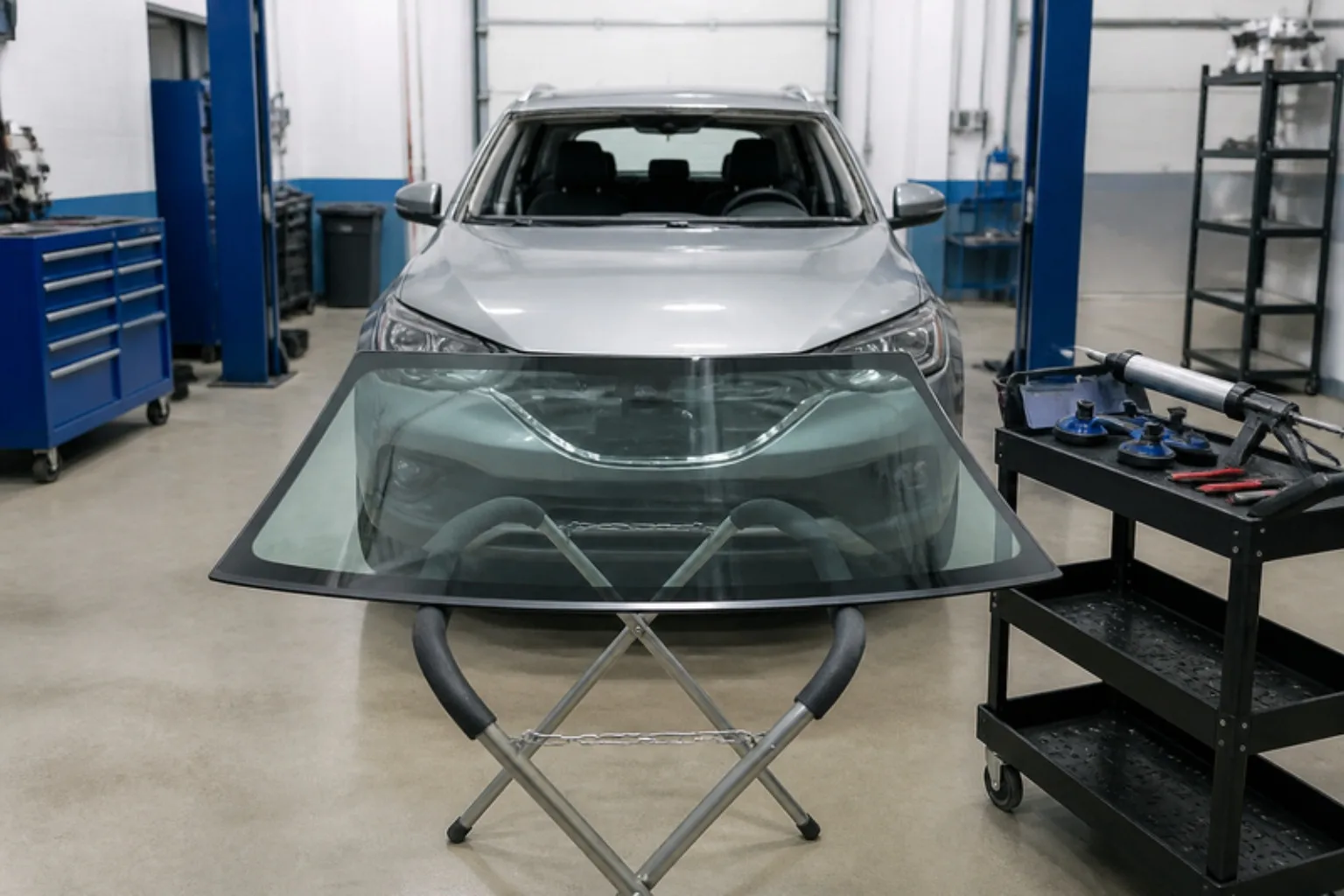
Replacing a windshield looks like a simple job, but the organisation around it has many points where things can go wrong. Bookings come in by phone, the part must be ordered in the right version, the car takes up a bay, and the customer wants to know when to collect it and how much to pay.
Many costly mistakes come down to information: a windshield ordered without the sensor or camera bracket the car actually has, a booking written only in a notebook, a price quoted on the phone that differs from the one at handover. A tracking system does not fit the glass, but it makes sure this information is written once and seen by everyone.
The job flow: Scheduled, In progress, Completed
Many auto glass shops need only three active stages and an archive. An example entry rule for each:
- Scheduled: the customer has a date, the part is identified (ordered or in stock) and the responsible person is set.
- In progress: the car is in the workshop. We recommend photographing the old glass and the area around it before removal and attaching the photos to the order.
- Completed: the job is done, the price is confirmed and the customer can be told.
- Archive: the car has been handed over and the payment is recorded.
These are also the stages the auto glass configuration comes with in Zafirok: Scheduled → In progress → Completed → Archive (Programat → În lucru → Finalizat → Arhivă). Orders move from one stage to the next by dragging them on the Kanban board, and an admin can adapt the stages in the Kanban settings.
What to record when booking
A complete booking can spare you an extra trip to the supplier and wasted bay time. Record from the start:
- The customer: name and phone; for companies, the contact person too.
- The car: make, model, year, body type, registration plate.
- The glass: windshield, rear window or side window, and its features (rain sensor, heating, camera bracket, other visible specifics).
- The part: supplier, part code and whether it is in stock or must be ordered.
- Who pays: the customer, their company or an insurer; in the last case, the claim number.
- The appointment date and the responsible person.
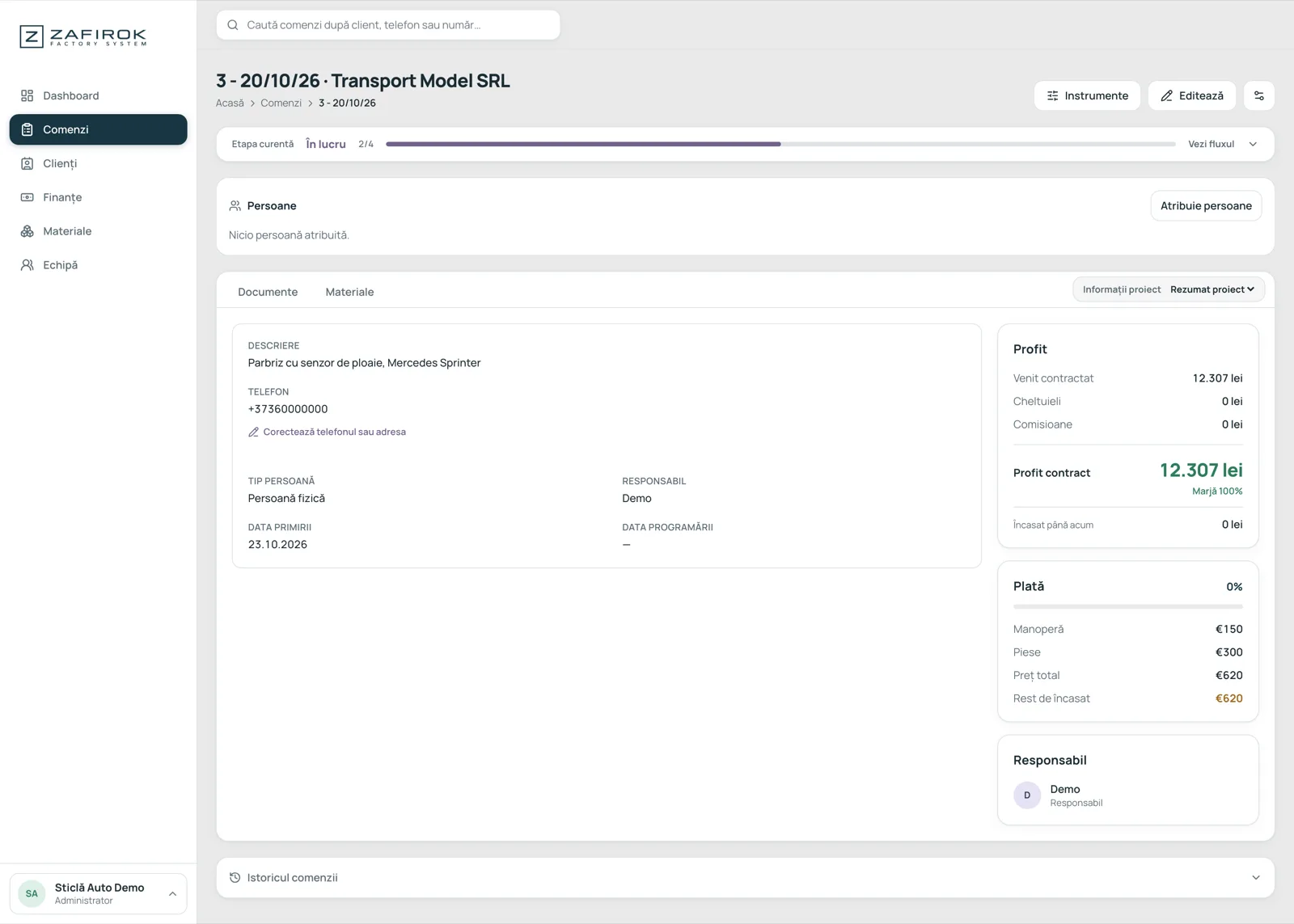
In Zafirok, the order has an appointment date and a responsible person, but no dedicated vehicle fields. Make, model, plate and glass features go into the description. A shared format on every order helps anyone find the information quickly, for example:
Make and model, year · registration plate · windshield with rain sensor and camera bracket · part: supplier, code, ordered or in stock · paid by: customer, company or insurer (claim no.)
Order description format
Labour and parts: how the total price is built
The price of an auto glass job has two parts: labour and parts. Kept apart, they show how much you earn from the work and how much from reselling parts.
In Zafirok, an order has two kinds of lines. Labour lines (Lucrări) have a name, quantity, price per service and minutes per service, the estimated time. Parts lines (Piese) have a name, quantity, purchase price per unit and selling price per unit. The total price is the sum of labour and parts at selling price, and the app recalculates it; nobody adds it up by hand.
Hypothetical example with made-up prices: a windshield bought for 2,400 lei and sold for 3,100 lei, a fitting kit bought for 150 lei and sold for 250 lei, and replacement labour of 700 lei, estimated at 120 minutes. The total price for the customer is 700 + 3,100 + 250 = 4,050 lei (MDL). The difference between selling and purchase price on parts is 800 lei, before the shop's other costs.
The example only shows the calculation logic. Mind the currency: for a company that keeps its books in lei (MDL or RON), Zafirok takes line prices in euros (€), so the total price is in euros too, and payments are recorded in lei at the company's own EUR rate. A company working in USD or EUR enters prices directly in its own currency.
The minutes on labour lines show how long each job takes; by adding them up, you can estimate how long a car stays in a bay and how many bookings realistically fit into a day. The app does not add up the minutes per car or per day. For a clear way to work out margin and markup, see our guide on how to price a custom job.
Who handles the car: the responsible person and the filtered board
Each order has one responsible person: the one who looks after the car from booking to handover, even if a colleague helps with the fitting. You can note the colleague who helps in the description.
The order board can be filtered by responsible person, so each technician sees their cars and the workshop manager sees who is busy. With team roles you can hide prices (set the Prices, payments and profit permission to Hide) if you do not want the whole team to see what you pay for parts.
The customer, their history and payment
For returning customers (fleets, taxi companies, car dealers), history matters. The customer record has a timeline with notes, calls, meetings, offers and tasks, plus a financial summary. Coloured labels mark the type of customer, for example Fleet or Insurance, and a customer flagged as a problem client has their orders outlined in red.
Payment is recorded against the order in Finance → Payments (Încasări), with amount, date and status Paid or Unpaid. An unpaid payment with a date works as a planned receivable (useful for companies that pay later) and appears with its due date in the Alerts card on the main dashboard. At the end of the day, the Daily balance tab (Sold de zi) shows the money in and out.
Optionally, the customer can get an automatic SMS when the order enters the stage you choose as ready, for example Completed. It is one message per order, with no reminders, and SMS sending is paid separately; more on the SMS page.
Common mistakes in an auto glass shop
- Ordering the part by model alone, without checking the glass features.
- Bookings kept in a notebook or on one person's phone.
- A price quoted on the phone without labour and parts lines, then a different amount at handover.
- No photos before the job, so an old scratch turns into an argument at handover.
- Payments noted separately, with no link to the car and the order.
Example checklist: from booking to handover
- The customer and phone number are checked.
- The car and the glass features are written in the description, in the agreed format.
- The part is identified: supplier, code, ordered or in stock.
- The appointment date and the responsible person are set.
- Labour lines (with minutes) and parts lines (with purchase and selling prices) are filled in, and the total is confirmed with the customer.
- Photos taken before the job are attached to the order.
- At the end: the order is moved to Completed, the customer is told, the payment is recorded, and after handover the order goes to the archive.
How Zafirok helps: CRM and ERP software for an auto glass shop
Zafirok has a dedicated auto glass configuration. In practice:
- Stages Scheduled → In progress → Completed → Archive on a Kanban board.
- On each order: the appointment date, one responsible person and a board filter by responsible person.
- Labour lines (name, quantity, price per service, minutes per service) and parts lines (name, quantity, purchase price per unit, selling price per unit), with the total price recalculated automatically.
- Photos and files attached to the order, up to 25 MB each.
- Customers with a timeline, tasks, labels and a financial summary.
- Payments per order, the Daily balance tab and dashboard alerts for unpaid payments with their due dates.
- An optional automatic SMS when the order is ready.
The stages, description format, checklist and SMS text in this guide are an example to start from: each shop adapts its stages, roles and texts to the way it works. If you prefer, the Zafirok team can configure it for you: write to us via the contact page or create an account.
What it does not do, and its limits:
- There are no dedicated vehicle fields (make, model, plate, VIN), so everything goes into the description.
- An order has only one responsible person.
- The appointment date holds the day only, not the time, so the time agreed with the customer also goes into the description; there is no booking calendar with time slots.
- The parts purchase price is for reference only: the app does not calculate a parts margin from it or deduct it from the order's profit. To count a part's cost in the profit, record it as an expense linked to the order (Finance → New transaction).
- The SMS is a single message per order, with no reminders or bulk sending.
You will find more about the configuration on the page Zafirok for auto glass and on the Orders module page.
Frequently asked questions
Where do I enter the car's make, model and plate?
In the order description. Zafirok has no dedicated vehicle fields, so it is worth agreeing on one fixed format for every order: make, model, year, plate and glass features.
How is the total price of a job calculated?
The total price is the sum of the labour lines and the parts at selling price. The app recalculates it whenever you change the lines, so there is no need to add it up by hand. For a company that keeps its books in lei, line prices and the total are in euros.
Can I see each technician's bookings?
Yes, by filtering the order board by responsible person. Each order shows its appointment date and the stage it is in.
Can I hide purchase prices from technicians?
Yes, through team roles: the administrator can hide prices for a role. People with access to prices still see both the purchase and the selling price.
Does the customer get a message automatically when the car is ready?
If you switch on the automatic SMS in Settings → SMS and choose the stage that means ready, yes: a single message, sent when the order enters that stage. SMS sending is paid separately, and there are no reminders or bulk messages.
Create an account and book your first car